3142
31
Key Telephone
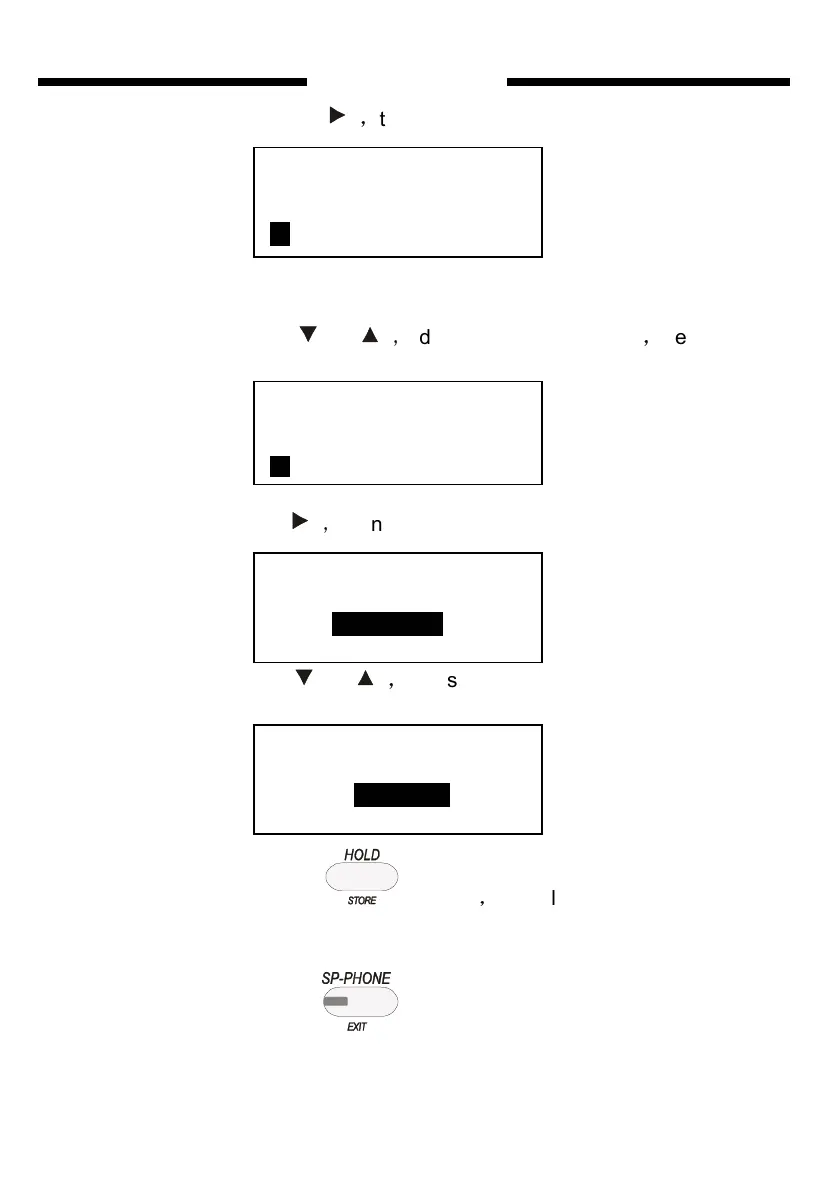
Seventh step:press
,
to let the cursor as Fig6.4.
Fig 6.4
Eighth step:press or
,
adjust the EXT. NO as 20
,
the LCD will
display as follow:
Ninth step:press
,
then LCD shows as follow:
Tenth step:press or
,
adjust DR-DIRECT to DIRECT
Eleventh step:
press to save
,
you will hear “DI” , that means
that you have save successfully
Twelfth step: press
three times ,the LCD shows as follow
Fig6.5 ,Fig6.6,Fig6.7 in turn, and key phone exit the SYSTEM PROGRAM
DIAL OUT MODE
DIAL OUT MODE
20 DE-DIRECT
DIAL OUT MODE
01 DE-DIRECT
DIAL OUT MODE
20 DIRECT


 To Next Page