3
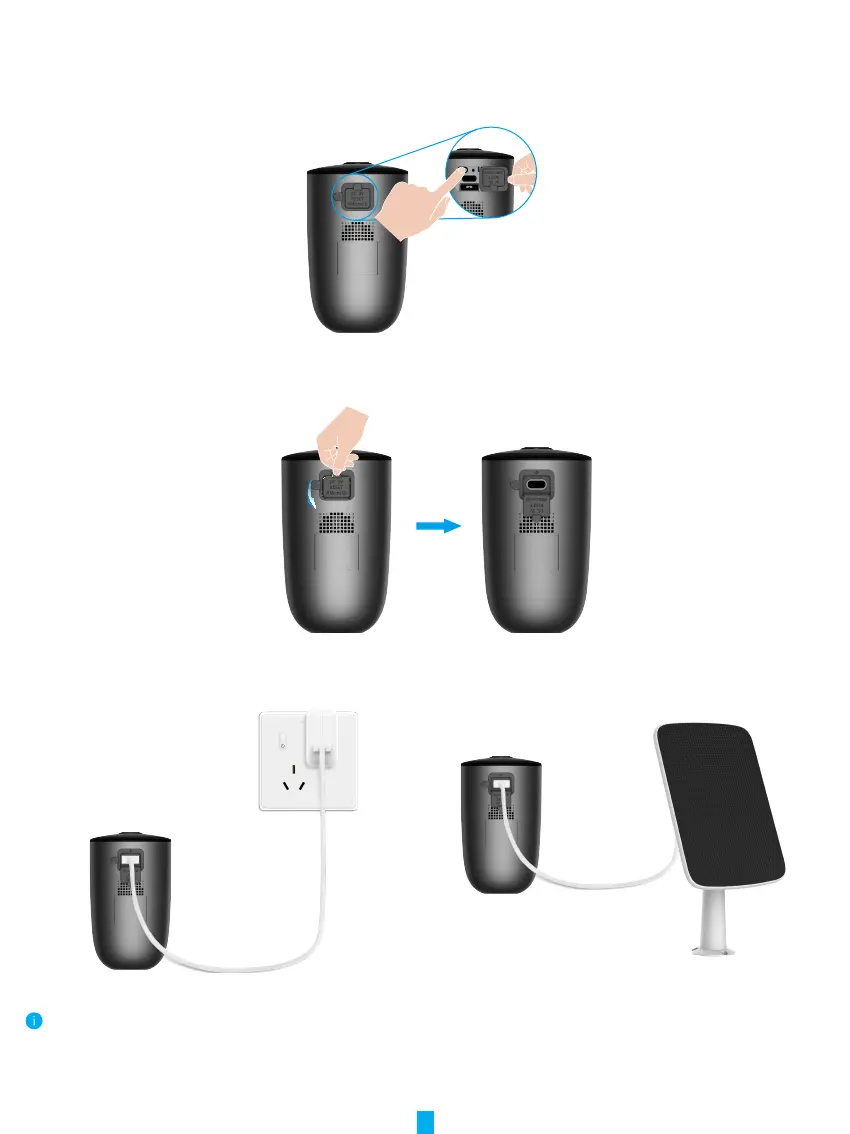
2� Power on the Camera
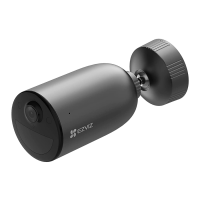
1. Open the silicone cover on the camera.
2. In the shutdown state, press and hold the power button for 2 seconds to power on.
3. Place the cover back on.
3� Fully Charge the Camera
If the camera is out of battery, rotate the silicone cover of the power port on the camera.
Option 1: Connect the camera to power outlet with a power
adapter for charging (5V 2A).
Option 2: Connect the camera to a solar panel for charging.
• Remove the camera from the wall before charging.
• Both of the power adapter (5V 2A) and solar panel need to be purchased separately.
• Please do not charge the camera when the temperature exceeds 45 degrees or below 0 degrees.
• It is not allowed to charge the camera with power adapter outdoors.
• When charging, the camera will be automatically turned on.


 To Next Page