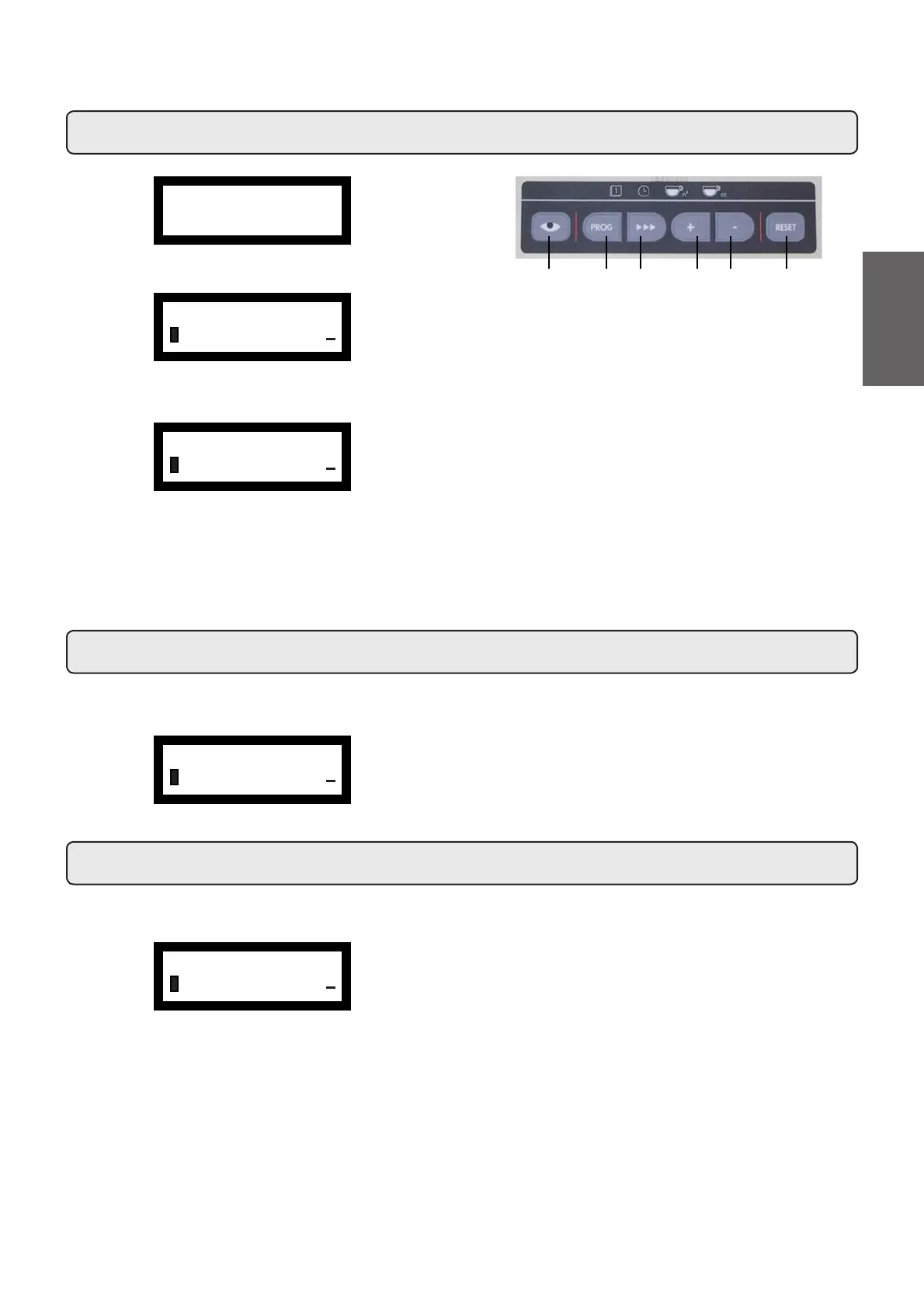
Display of available menus: press the PROG (32) key.
Access to menus: Use the “+” (34) and “-“ (35) keys to position the
cursor on the desired line, then press the PROG (32) key (press a
VHOHFWLRQNH\LIWKH´6(/(&7.(<´PHQXDSSHDUV
Use the “+” (34) and “-“ (35) keys also to modify the message or
number.
Note: When modifying data, the cursor changes to "Æ".
Exiting the programming menu: press the
(33) key.
28. Programming
31 32 33 34 35 36
Press one of the coffee dispensing keys (the relative led will remain on,
QRWÀDVKLQJ7KHIROORZLQJPHVVDJHZLOODSSHDURQWKHGLVSOD\
29. Technician programming - Coffee selection
Press one of the cappuccino – milk dispensing keys. The related LED
remains on and does not blink. The display appears as follows:
Cappuccino-milk selection parameters that can be changed are:
- Type (key personalizing, e.g.: 1 coffee, 1 cappuccino, 2 coffee, 2
cappuccinos, stop, null);
- Milk dose (milk dispensing time: 0 ÷ 60 seconds, with increments
of 0.1);
- Milk start/coffee start ** (milk dispensing delayed after coffee
dispensing, and vice versa)
- Water dose (volumetric dosage pulses: 0 ÷ 1999, with increments
of 1).
30. Technician programming - Cappuccino - Milk selection
ÀTECHNICAL PROG.
KEY MENU
+
Friday 09:20
Boiler P. 1.1bar
ÀKEY MENU
Water dose 090
+
ÀKEY MENU
Water dose 090
+
ÀKEY MENU
Milk dose 03.6s
+
7KHIROORZLQJFRIIHHVHOHFWLRQSDUDPHWHUVFDQEHPRGL¿HG
- type (key personalizing, e.g.: 1 coffee, 2 coffee, stop, null);
- water dose (volumetric dosage pulses, from 0 to 1999, with
increments of 1);
69
English



 To Next Page