11
3.2 Software Installatie
3.2.3 Download en installeer SimHub: https://www.simhubdash.com/download-2/
3.2.4 Download en installeer the VOCORE LCD driver (Niet de USBD480 LCD driver!):
https://www.simhubdash.com/devices-driver-installation/
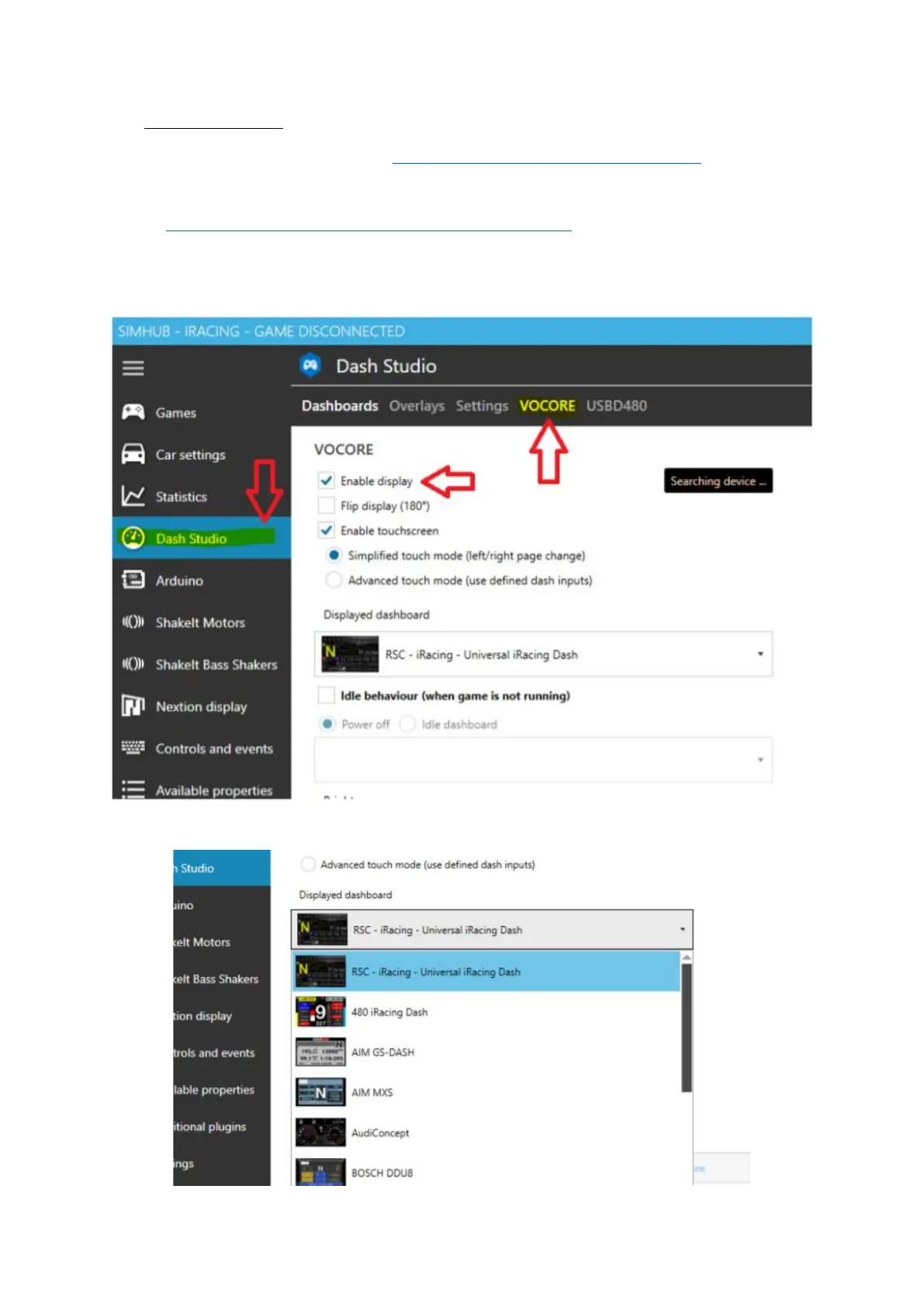
3.2.5 Start SimHub op en ga naar de "Dash Studio" Tab, klik op “VOCORE” en vink “Enable display”
aan.
3.2.6 Selecteer een voor-geïnstalleerde dashboard uit de dropdown lijst en start met racen!







 To Next Page