6
2.2. Software Installation
1) Download and install SimHub: https://www.simhubdash.com/download-2/
2) Download and install the VOCORE LCD driver (Not the USBD480 LCD driver!):
https://www.simhubdash.com/devices-driver-installation/
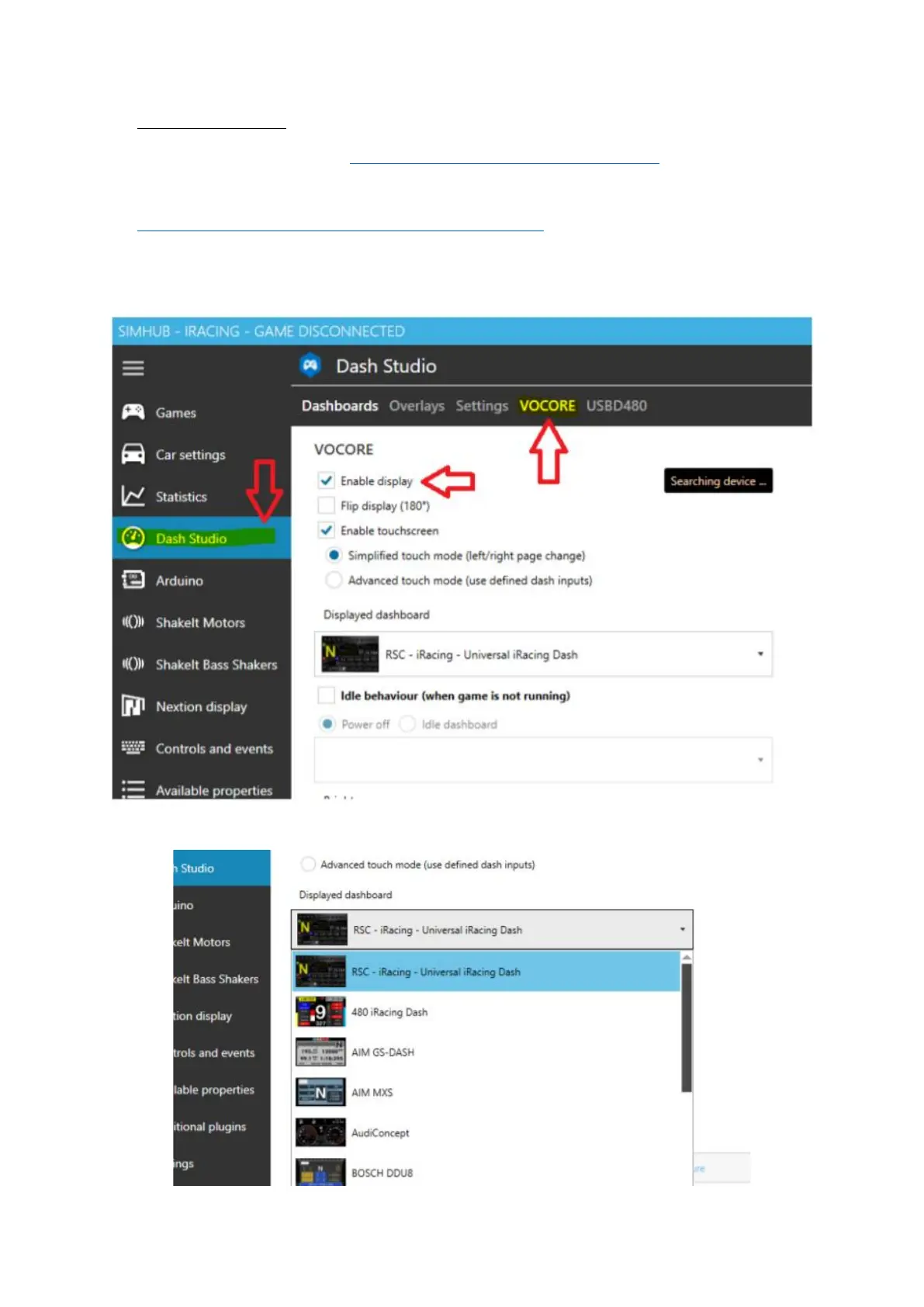
3) Now launch SimHub and go to the "Dash Studio" Tab, next click on "VOCORE" and tick the box
that reads "Enable display"
4) Select any pre-installed dashboard from the dropdown list and start racing!







 To Next Page