16
4.2 Installation du logiciel
4.2.1 Téléchargez et installez SimHub: https://www.simhubdash.com/download-2/
4.2.2 Téléchargez et installez SimHub “the VOCORE LCD driver” (PAS le USBD480 LCD driver!):
https://www.simhubdash.com/devices-driver-installation/
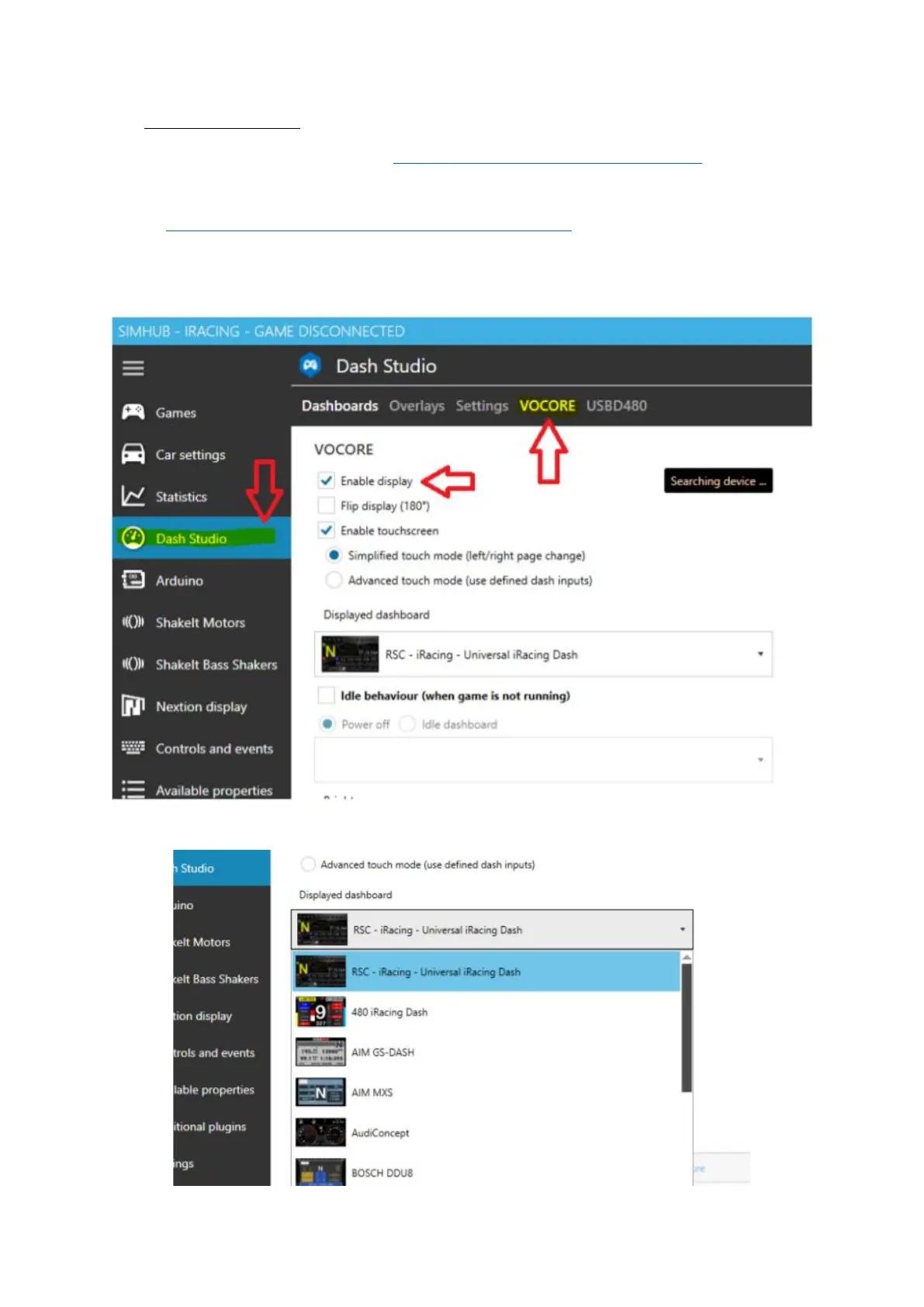
4.2.3 Démarrez SimHub et allez vers l’onglet "Dash Studio", cliquez sur “VOCORE” et cochez
“Enable display”.
4.2.4 Sélectionnez un tableau de bord préinstallé du menu déroulant et démarrez votre course !







 To Next Page