EasyManua.ls Logo

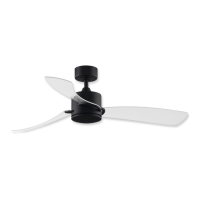
Fanimation KWARTET FPS8553 Series - User Manual

Fanimation KWARTET FPS8553 Series
36 pages
Print Icon
To Next Page IconTo Next Page
Loading...
Net Weight 17.18 lbs (7.81 kgs)
Questions, problems, missing parts? Before returning to your retailer, call our customer
service department at 1-888-567-2055, 8 a.m.-5 p.m., EST, Monday-Friday.
Date Code
For best and quickest service please provide date code. You can find the date code on the carton,
hand-held remote (inside of the battery compartment), receiver or ceiling bracket.
Purchase Date
ATTACH YOUR RECEIPT HERE AND REGISTER YOUR FAN AT FANIMATION.COM
READ AND SAVE THESE INSTRUCTIONS
MODEL #FPS8553**
Español p. 19
TM
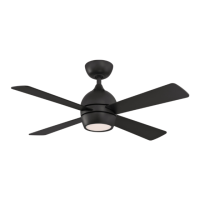
CEILING FANKWARTET
Question and Answer IconNeed help?

Do you have a question about the Fanimation KWARTET FPS8553 Series and is the answer not in the manual?

Overview

The Kwartet™ Ceiling Fan, Model #FPS8553**, is a sophisticated and efficient ceiling fan designed for both aesthetic appeal and optimal air circulation. This device integrates a fan, lighting, and remote control capabilities, offering a comprehensive solution for room comfort and illumination.

Function Description

The Kwartet™ Ceiling Fan serves primarily as an air circulation device, providing cooling in summer and aiding in heat distribution in winter. It features reversible blade direction, allowing for a downdraft in warmer months to create a cooling breeze and an updraft in colder months to redistribute warm air without creating a direct draft. Beyond air movement, the fan incorporates an LED light kit, offering adjustable illumination for the room. The entire system is controlled via a hand-held remote, providing convenient access to all functions from anywhere in the room.

Important Technical Specifications

  • Weight: The fan has a net weight of 7.81 kgs (17.18 lbs).
  • Electrical Requirements: It operates on a 120 VAC, 60 Hz, 15 Amp Circuit. A dedicated 120-volt, 15-amp branch circuit is recommended. The outlet box must be UL listed and capable of supporting a minimum of 35 lbs.
  • Mounting: The fan is designed for mounting to a UL listed outlet box that is securely fastened to the building structure and capable of withstanding a load of at least 35 lbs. The fan must be hung with at least 7 feet of clearance from the floor to the blades.
  • Wiring: The fan requires a grounded electrical supply line. The minimum wire gauge for the supply circuit is 12-wire with ground for distances up to 50 feet, and 10-wire with ground for distances up to 100 feet.
  • Light Kit: The fan includes an LED light kit.
  • Remote Control: A 12V 23A battery powers the hand-held remote. The remote has 32 different code combinations to prevent interference.
  • Blade Dimensions: The fan blades are designed to be installed at a minimum of 2.13 meters (7 feet) from the floor. The fan requires a minimum clearance of 2.13 meters (7 feet) from the floor to the blades.
  • Outlet Box Requirements: The outlet box must be marked acceptable for fan support of 15.9 kg (35 lbs) or less and use mounting screws provided with the outlet box. Outlet boxes commonly used for the support of luminaires are not acceptable for fan support.

Usage Features

  • Seasonal Operation: The fan offers reversible blade direction. In summer, the blades rotate counter-clockwise for a downdraft, creating a cooling effect. In winter, the blades rotate clockwise for an updraft, circulating warm air trapped near the ceiling without creating a direct draft.
  • Speed Control: The remote control allows for adjustment of fan speed, offering various levels of air movement to suit comfort preferences.
  • Light Control: The LED light kit can be turned on/off and its intensity adjusted via the remote. Some models may offer color temperature adjustment.
  • Timer Function: The remote includes a timer function, allowing the fan and light to be set to turn off after 1, 3, or 6 hours.
  • Remote Control Pairing: The remote control and receiver have dip switches to set a code combination, preventing interference with other remote-controlled devices. It is crucial to set the same code on both the receiver and the remote.
  • Wall Holder: The remote control can be conveniently stored in a wall holder, which is installed using two provided screws.
  • Optimal Mounting Location: For best performance, the fan should be installed in the center of the room, with blades at least 2.13 meters (7 feet) from the floor and 0.76 meters (2.5 feet) from walls.
  • Energy Efficiency: The fan is designed to be energy efficient, contributing to lower utility bills. Using the fan in conjunction with air conditioning can help reduce energy consumption.

Maintenance Features

  • Periodic Cleaning: Regular cleaning of the fan is necessary to maintain its appearance and performance. A soft brush or lint-free cloth should be used to avoid scratching the finish. Abrasive cleaning agents are not recommended.
  • Blade Cleaning: Periodic light dusting of the blades is recommended. Avoid using water, cleansers, or harsh rags, which can warp and ruin the blades.
  • Troubleshooting Guide: The manual provides a comprehensive troubleshooting guide for common issues such as the fan not starting, making noise, or wobbling excessively. This guide helps users identify probable causes and suggested remedies, including checking circuit breakers, remote control batteries, wiring connections, and blade attachments.
  • Limited Lifetime Warranty: Fanimation offers a limited lifetime warranty for the fan motor to the original purchaser. This warranty covers defects in materials or workmanship during the lifetime of the original purchaser. Other components, such as the remote control, receiver, and light kit, are typically covered by a one-year limited warranty from the date of purchase.
  • Parts Replacement: In case of damaged or missing parts, customers can contact Fanimation's service department for assistance. The manual includes an exploded-view illustration and a parts list with reference numbers and descriptions to facilitate ordering replacement parts.
  • Safety Checks: Before performing any maintenance or troubleshooting, it is crucial to turn off power at the main fuse box or circuit breaker to prevent electrical shock. Ensure all connections are tight and that no bare wire is visible.
  • Blade Balancing: If the fan wobbles, ensure all blades are securely fastened and that the blade screws are properly tightened. The manual does not explicitly mention a blade balancing kit, but ensuring proper installation is key to preventing wobbling.

Fanimation KWARTET FPS8553 Series Specifications

General IconGeneral
BrandFanimation
ModelKWARTET FPS8553 Series
CategoryFan
LanguageEnglish

Related product manuals