EasyManua.ls Logo

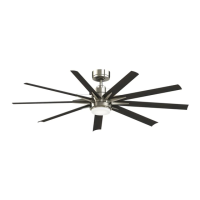
Fanimation The Odyn - User Manual

Fanimation The Odyn
17 pages
Print Icon
To Next Page IconTo Next Page
Loading...
Model No. FPD8148**AU
OWNER'S MANUAL
READ AND SAVE THESE INSTRUCTIONS
Ceiling Fan
Net Weight 14.6 kg
The Odyn

Questions and Answers

  • S
    Stephanie OrtizAug 2, 2025
    What to do if my Fanimation The Odyn Fan will not start?
    • G
      garygonzalezAug 2, 2025
      If your Fanimation fan won't start, here's what to check: * Inspect the main and branch circuit fuses or circuit breakers. * Ensure the line wire connections to the fan and switch wire connections in the switch housings are secure. Remember to turn off the main power before checking! * If you're using a remote control, try replacing the battery.
  • F
    Felicia CardenasAug 11, 2025
    Why is my Fanimation The Odyn Fan so noisy?
    • S
      Steven MckeeAug 11, 2025
      Here are a few reasons why your Fanimation Fan might be excessively noisy: 1. Blades might not be attached to the fan. Attach blades to fan before operating. 2. Loose screws in the motor housing. Check and tighten them, but don't overtighten. 3. The screws securing fan blade holders to the motor flywheel might be loose. Ensure these screws are tight, remembering to turn off the main power first. 4. The motor noise could be caused by a solid-state variable speed control. If so, consider using an alternative control method, as some fan motors are sensitive to these signals. 5. Screws holding blades to blade holders are loose. Tighten screws securely.
  • T
    teresagarciaAug 22, 2025
    How to fix a Fanimation The Odyn that wobbles a lot?
    • A
      Aimee MillerAug 23, 2025
      If your Fanimation Fan wobbles excessively, try these steps: * Tighten both setscrews securely in the downrod support. * Tighten the setscrew in the downrod/hanger ball assembly. * Check and tighten the screws that attach the fan blade holders to the blades. * Ensure the fan blade holders seat firmly and uniformly to the surface of the motor housing. If not, loosen and retighten the screws. * Make sure the hanger bracket and/or ceiling outlet box is securely fastened. * If the blades are out of balance, use the balance kit provided.

Summary

Important Safety Instructions

Additional Safety Instructions

Tools Needed for Assembly

Materials

Unpacking Instructions

Energy Efficient Use of Ceiling Fans

Choosing the Appropriate Mounting Location

Guidelines for selecting the optimal position for ceiling fan installation.

Turn Off When Not in the Room

Energy saving tip: turn off the fan when the room is unoccupied.

Using the Ceiling Fan Year Round

Instructions for seasonal fan operation to maximize comfort and energy savings.

Electrical and Structural Requirements

Assembling This Ceiling Fan

Hanger Ball and Downrod Preparation

Removing and preparing the hanger ball and downrod components.

Routing Wires and Securing Downrod

Guiding wires through the downrod and securing it with clevis pin and set screws.

Attaching Canopy Covers

Feeding wires through canopy covers and preparing for attachment.

Final Hanger Ball Securing

Reinstalling and securely tightening the hanger ball on the downrod.

Lead Wire Preparation

Trimming excess wires and stripping insulation from lead wires.

How to Hang This Ceiling Fan

Drill and Secure Hanger Bracket

Drilling holes and securely attaching the hanger bracket to structural support.

Attach Safety Cable

Installing the safety cable to the ceiling joist or structural member.

Route Wires for Connection

Pulling electrical supply wires through the downrod and hanger bracket.

Seat Downrod Assembly on Hanger Bracket

Placing the downrod/hanger ball assembly onto the hanger bracket.

Attach Safety Cable to Support Cable

Connecting the fan's safety cable to the ceiling support cable.

How to Wire Your Ceiling Fan

Connect Earth Wires

Connecting green/yellow earth wires to the terminal block.

Connect Neutral Wires

Connecting the blue fan motor wire and black supply neutral.

Connect Active Wires

Connecting the brown fan motor wire and red supply wire.

Installing The Canopy Housing

Attach Canopy to Hanger Bracket

Mounting the ceiling canopy to the hanger bracket using shoulder screws.

Secure Canopy Screw Cover

Attaching the canopy screw cover over the shoulder screws.

Assembling the Ceiling Fan Blades

Attach Blade to Blade Holder

Securing the fan blade to its holder using screws.

Secure Blade Holders to Flywheel

Fastening the blade holders to the fan's flywheel.

Assembling The Light Kit Assembly or Cap

Option A: Assemble Light Plate Assembly

Attaching the light plate assembly to the motor support bracket.

Option B: Assemble Steel Cap

Mounting the steel cap assembly to the adapter-steel cap.

Connect LED Assembly (Option A)

Connecting the LED assembly to the motor assembly wiring.

Assemble Steel Cap (Option B)

Twisting the steel cap assembly onto the adapter-steel cap.

Attach LED Assembly to Light Plate

Securing the LED assembly to the light plate assembly.

Secure Glass to Light Plate

Fastening the glass cover to the light plate assembly.

How to Operate Your Ceiling Fan

Restore Power and Install Remote Battery

Restoring electrical power and inserting the battery into the remote transmitter.

Remote Control Pairing

Initiating and completing the remote control setting and speed synchronization.

Remote Control Button Functions

Explaining the functions of each button on the remote control.

Fan Protective Functions

Details on built-in safety features like obstruction and overload protection.

Maintenance

Blade Cleaning

Instructions for safely cleaning the ceiling fan blades.

Trouble Shooting

Fan Will Not Start

Diagnosing and resolving issues when the fan fails to power on.

Fan Sounds Noisy

Identifying causes and solutions for unusual fan noise.

Fan Wobbles Excessively

Troubleshooting excessive fan wobble for stable operation.

Not Enough Air Movement

Addressing issues related to insufficient airflow from the fan.

Parts List

Exploded-View Illustration

MyFan Warranty

What to do if your fan has a problem

Initial steps to take when encountering an issue with the fan.

36 month on-site warranty

Details of the manufacturer's warranty period and coverage.

Limitations of warranty

Conditions and exclusions that may void the product warranty.

Fanimation The Odyn Specifications

General IconGeneral
BrandFanimation
ModelThe Odyn
CategoryFan
LanguageEnglish

Related product manuals