GL-35DSR NAS Configuration
2.1.2 Web Browser & Device Name on a PC
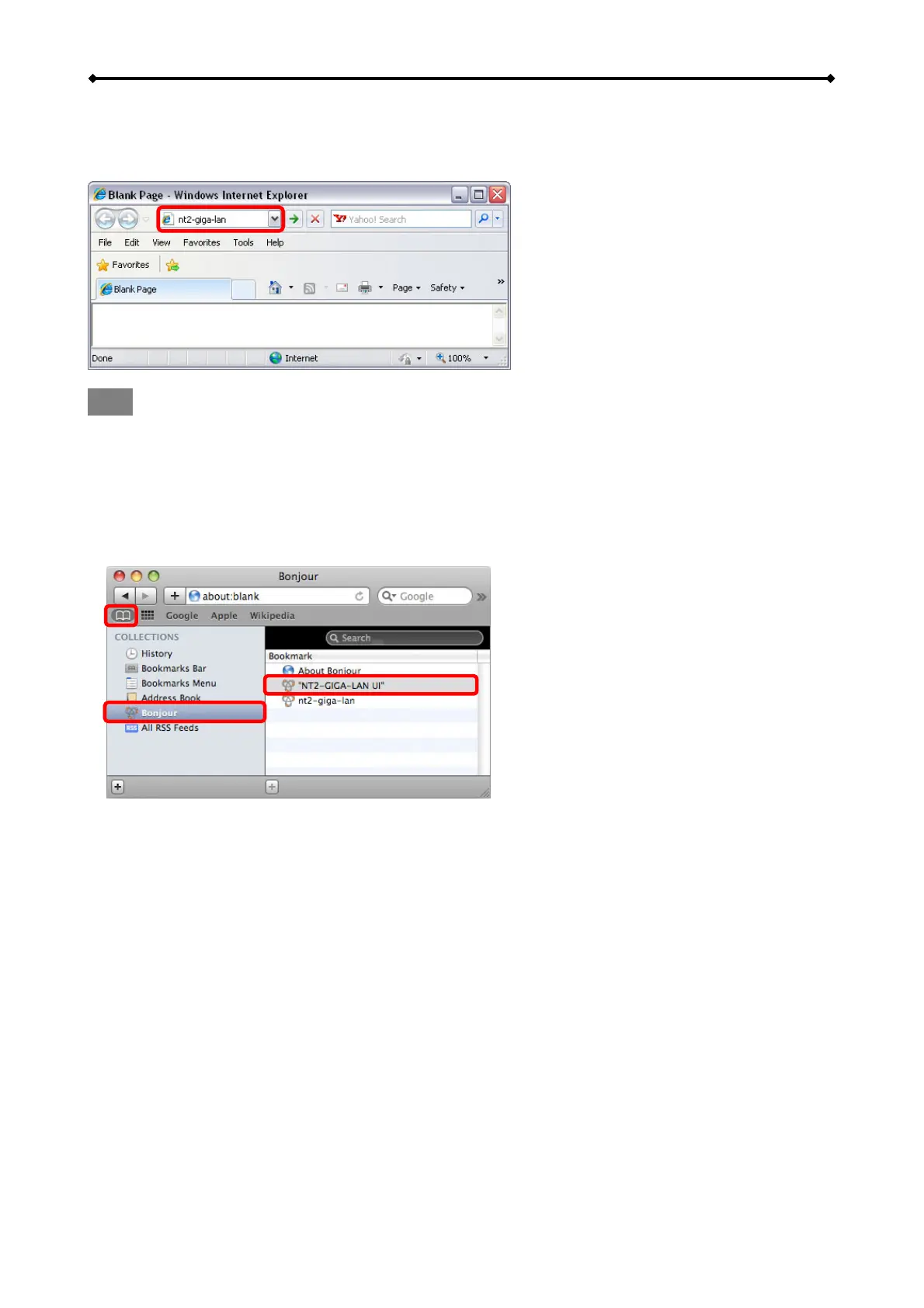
Use the device name, which by default is “//gl-35dsr”, enter that name into the URL field of your
web browser and then access the web configuration interface of your GL-35DSR.
Note
This method of login only works on Windows and not on a Mac!
2.1.3 Safari Web Browser & Bonjour Bookmarks on a Mac
Start your Safari web browser, open the Bookmarks panel and select Bonjour. Locate and select
the “gl-35dsr-GIGA-LAN UI” link and double-click on it to open the login page of the network drive,
in order to access the web configuration interface of your GL-35DSR.
1
2
3
EN 10/37



 To Next Page