GL-35DSR Getting Started
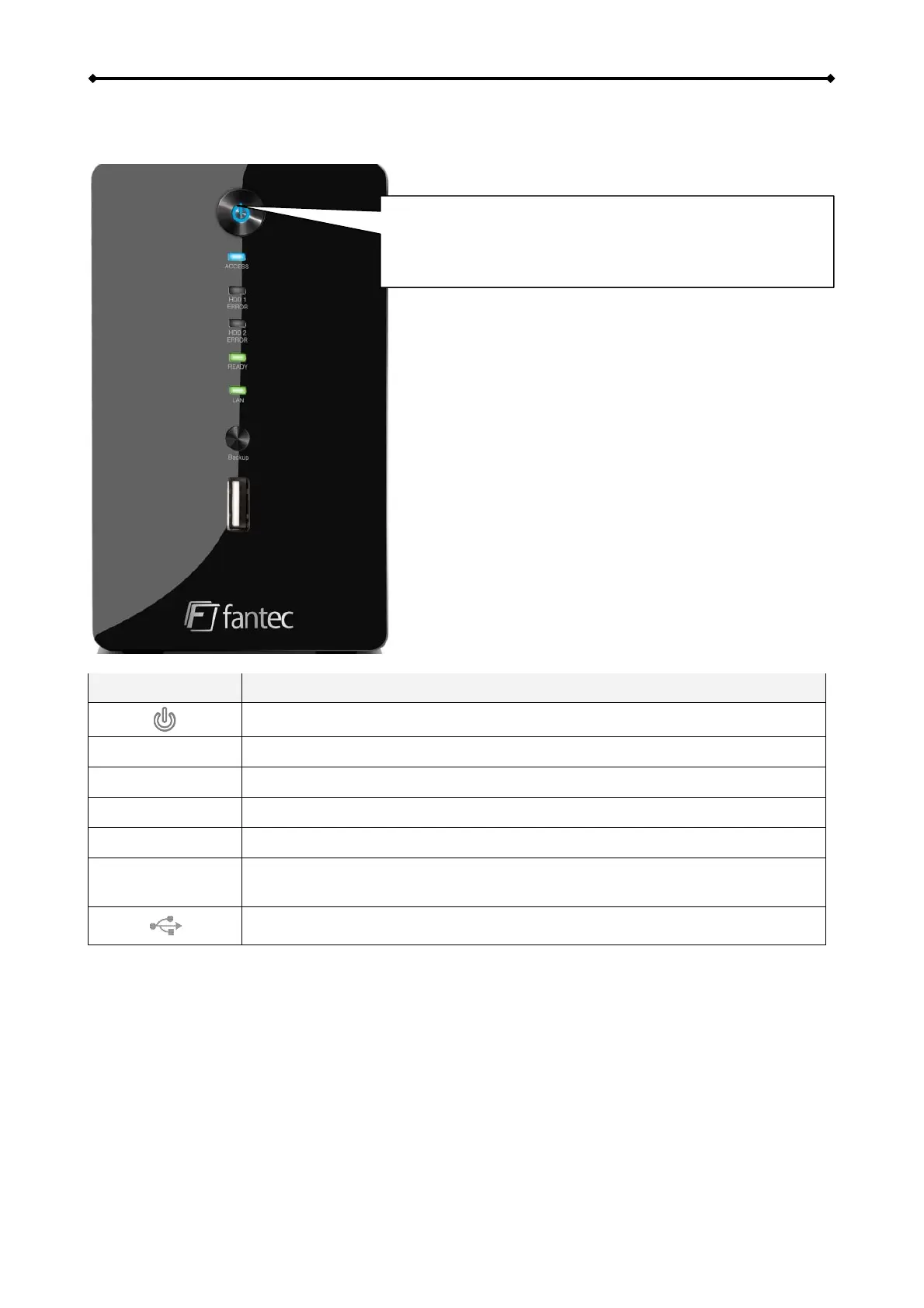
1.4 Detailed View
1.4.1 Front
Press to turn on power. Press and hold for 3 seconds to
shut down the system. Press and hold for 6 seconds to
cut off power and forcefully power off the system (not
recommended under normal circumstances).
LED/Icon Status/Function
• Blue = Power ON
Access
• Flashing blue = Read/Write data access
HDD1/2 ERROR
• Red = Error or empty drive bay (HDD 1 will light up during start up)
READY
• Green = NAS system is ready and running in standard mode from HDD
LAN
• Green = NAS is connected to the network
BACKUP
Press this button for one second to copy all the files from the attached
USB drive to the public folder on the network drive.
USB 2.0 host port for USB drives (FAT32 read/write)
EN 2/37



 To Next Page