GL-35DSR Getting Started
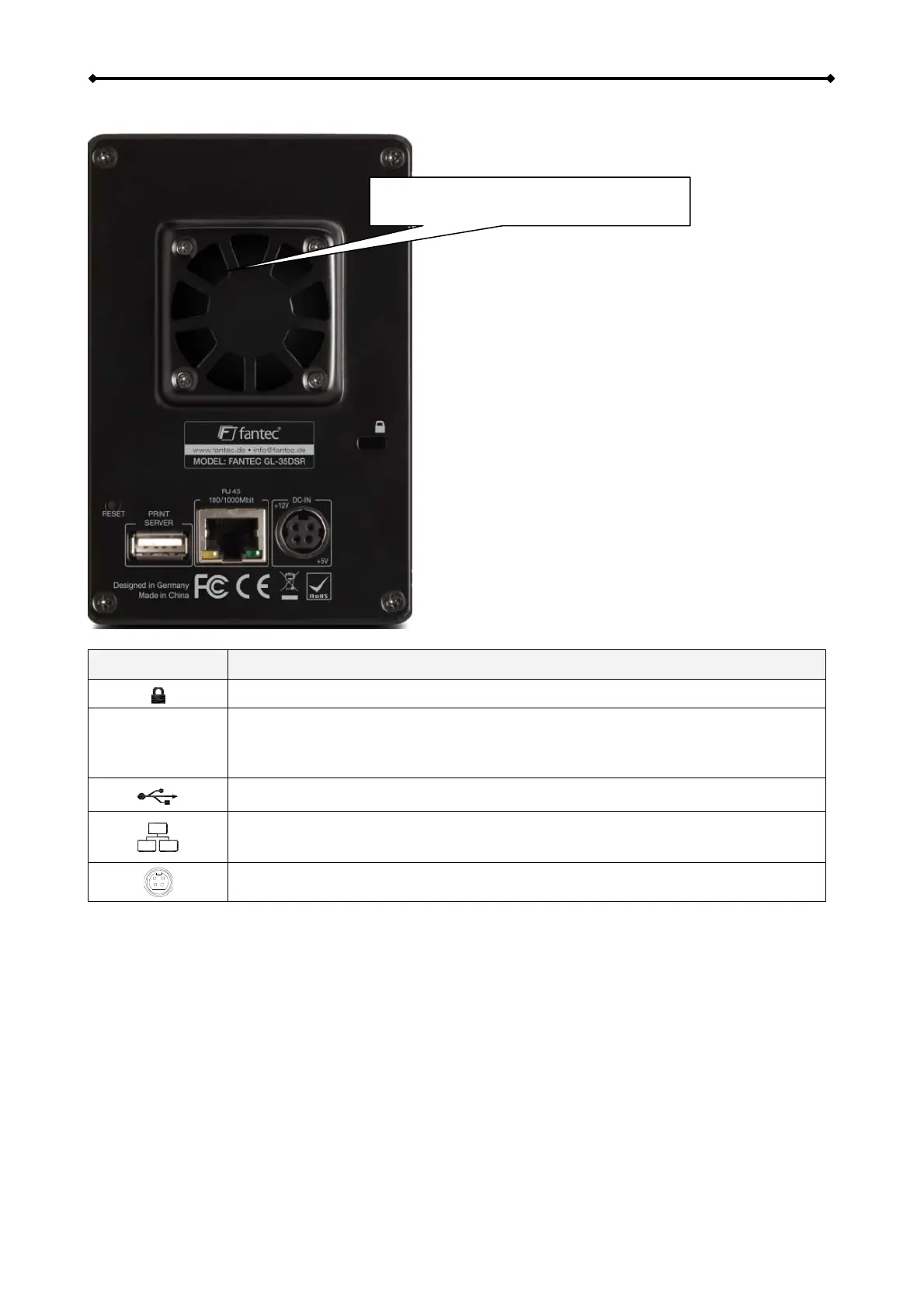
1.4.2 Rear
Fan (40 mm) for cooling of hard disks.
Button/Icon Status/Function
Slot for security lock
RESET
• When the power is turned off, press and hold this button, turn on the
power and let go of the button when you see the LED at HDD 1 light up
red (~ 2 seconds) in order to enter the flash mode.
USB 1.1 host port for USB printers
• Yellow = Indicates data access (read/write)
• Green = Indicates LINK status of network connection
Power receptacle
EN 3/37



 To Next Page