GL-35DSR Getting Started
1.7.2 Initializing the NAS System
In order to configure and access the network drive, the NAS system has to be initialized first. To do
so, use the Discover Tool program to locate the device, prepare the hard drives and set up the
system.
1. Make sure that at least one hard drive has been installed and the network drive is
connected to the local network.
2. Press and hold the reset button, turn on the power and let go of the reset button about 2
seconds later.
3. Wait for the green READY LED to start flashing and then start the Discover Tool from a
computer that is connected to the same local network.
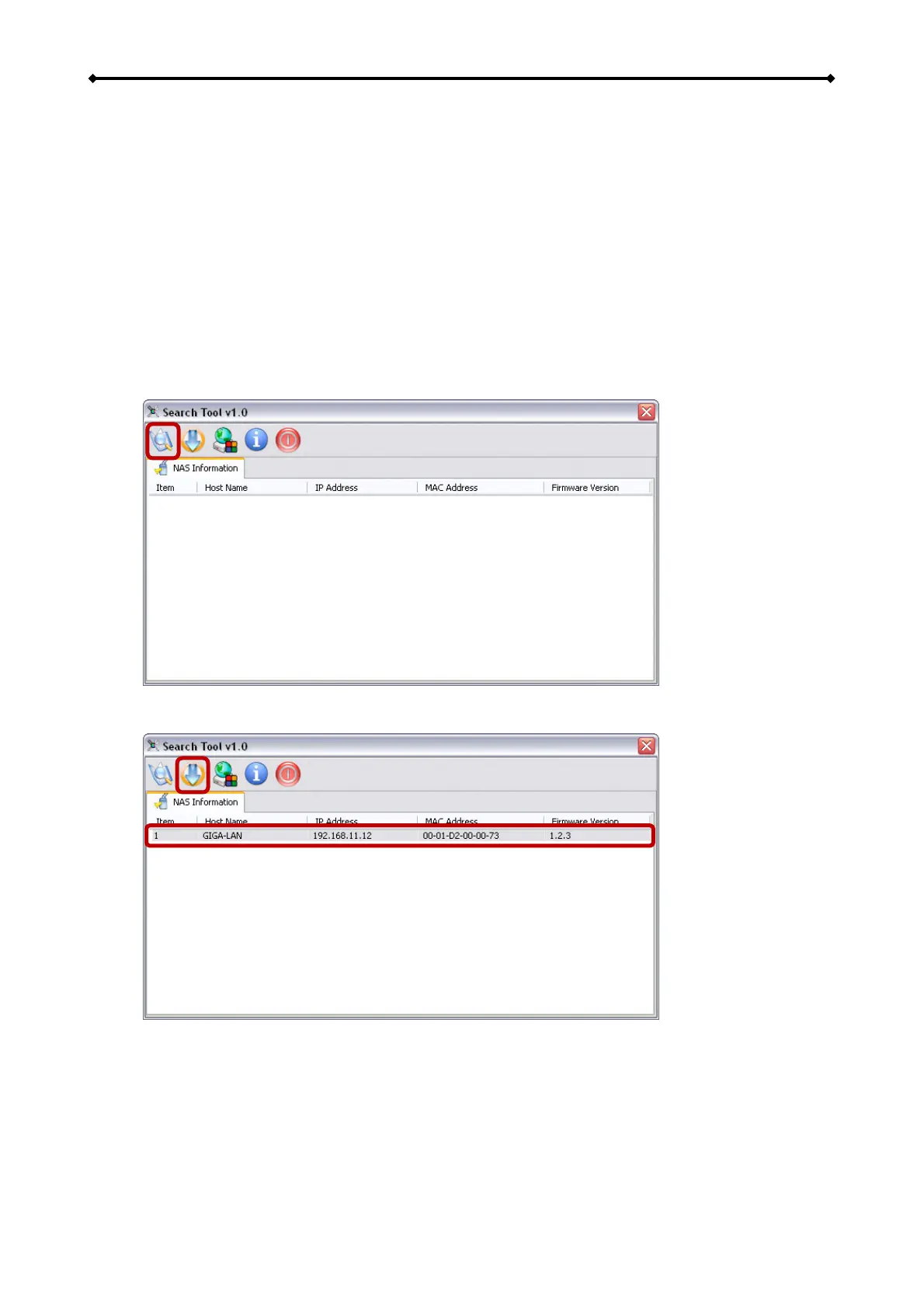
4. It will automatically search for the network drive but if it doesn’t start by itself or didn’t find
the drive, click Refresh to start the search process again.
5. Once the device has been located, select it from the list and then click Initialize NAS
System to start the setup of the system.
EN 6/37



 To Next Page