GL-35DSR Network Storage & Extra Features
3.2 File Access on a Mac
3.2.1 SMB
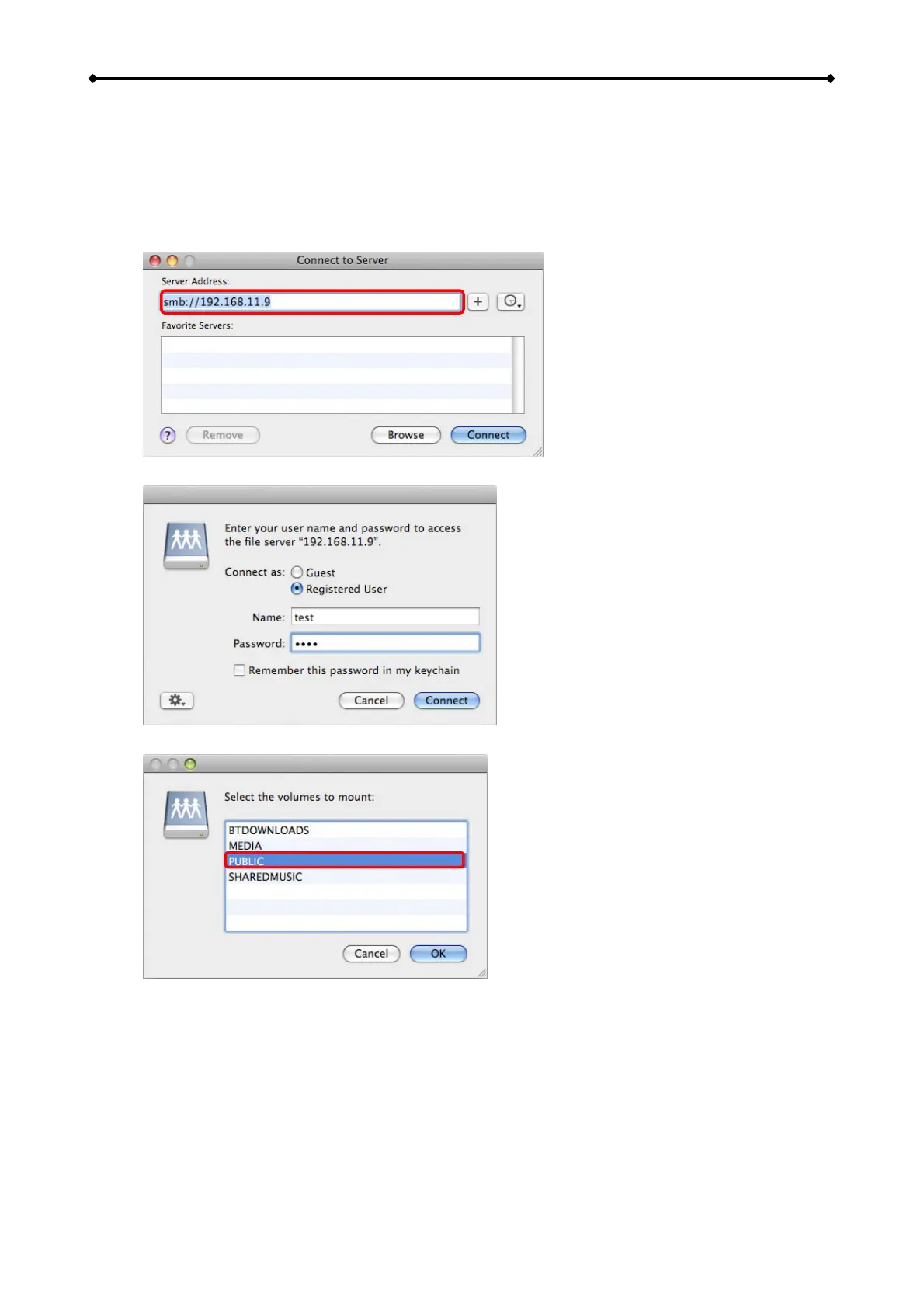
To mount and access the network drive, use the Connect to Server command.
1. Click on “Go” and select “Connect to Server”.
2. Type “smb://” followed by the IP address of your network drive and click on Connect.
3. Select Registered User and enter your user name and password.
4. Choose a folder from the list and click OK.
EN 24/37



 To Next Page