GL-35DSR Network Storage & Extra Features
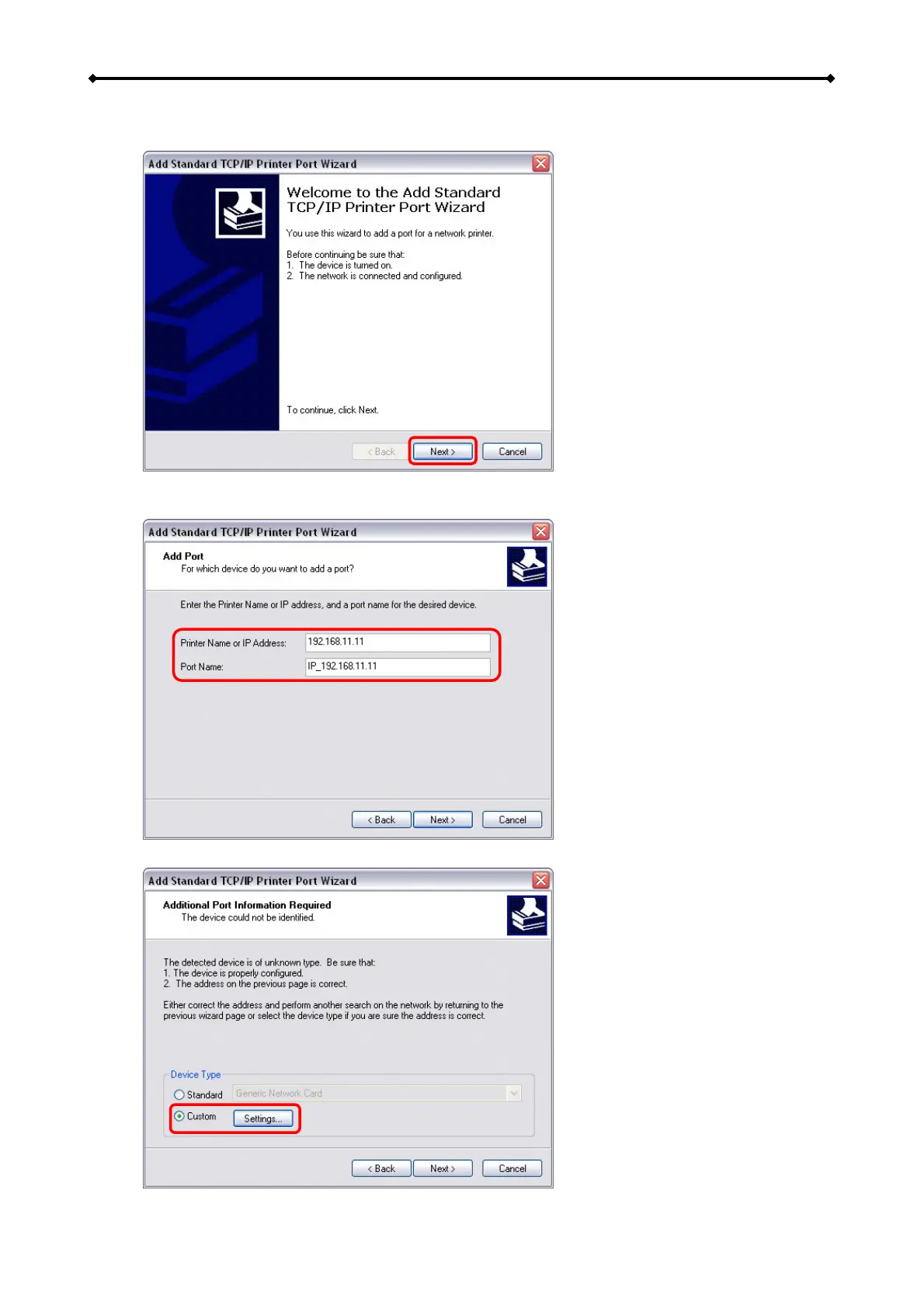
7. Make sure the network drive and printer are both turned on and connected to the same
local network as your computer, then click on “Next”.
8. Enter the IP address of your network drive (the port name will be filled out automatically)
and then click on “Next”.
9. Select “Custom” and click on “Settings” to modify the configuration.
EN 28/37



 To Next Page