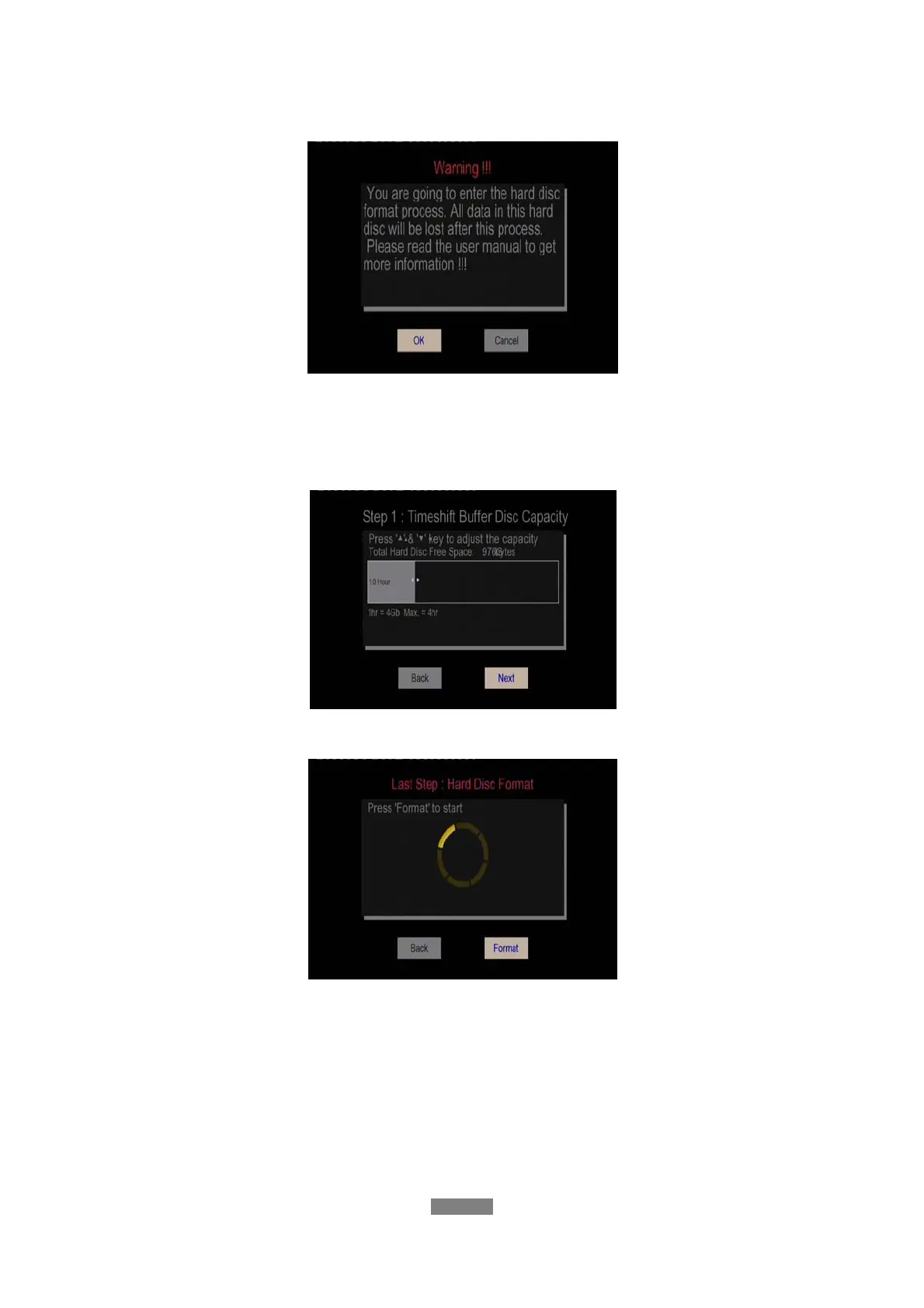
- Step 1: Select OK on the Warning page, press ENTER to confirm.
Note: This page can be also started via Setup->System->HDD Format menu too..
- Step 2: Press the up / down button to adjust the capacity of time shift buffer.
Press the left / right button to select Next, and the enter button to confirm.
- Step 3: Select Format, press ENTER, and then hard disk format will start.
The formatting procedure will be finished within a few minutes. And then you can use the hard
disk properly on the player.
Note: HDD format will remove all data stored on the hard disk drive. Please take care and
backup your data in advance!
ENGLISH
14 / 79



 To Next Page