Ken Burns
- Apply PAN-Scan effects during Photo playback.
Background Music
- Select to set the background music options while view pictures: Off / Folder / Playlist.
Seamless Playback
- Uninterrupted playback of video files(.ts and .m2ts)
(the naming of the files should be alike “abc01.ts” and “abc02.ts”, etc)
Edit Protection
- To prevent deleting folder/files by asking for a password. The default password is ‘0000’.
Press the numerical buttons to input, and the enter button to confirm. In browser menu
press the MENU button to delete a folder/file.
Screen Saver
- Select to turn on / off screen saver.
Subtitle on-off
- Turn on/off subtitle
Browser Mode
- Select to turn on / off movie preview in the browser menu, or select list mode.
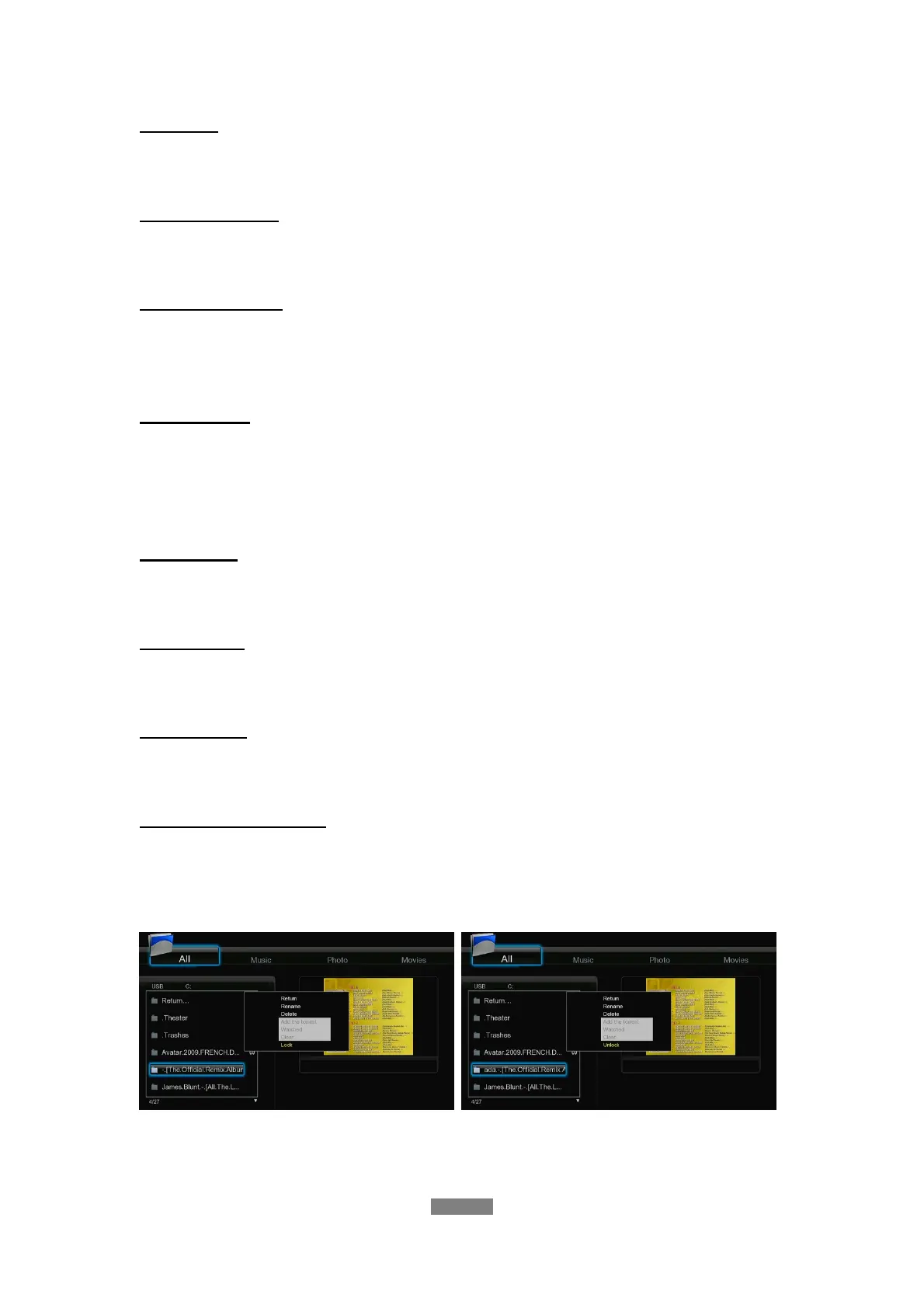
Folder Access Protection
- Select the folder protection to prevent access to selected folders. The default password is
‘0000’. Press the numerical buttons to input, and the enter button to confirm. In browser
menu press the MENU button to lock/unlock a folder.
ENGLISH
32 / 79



 To Next Page