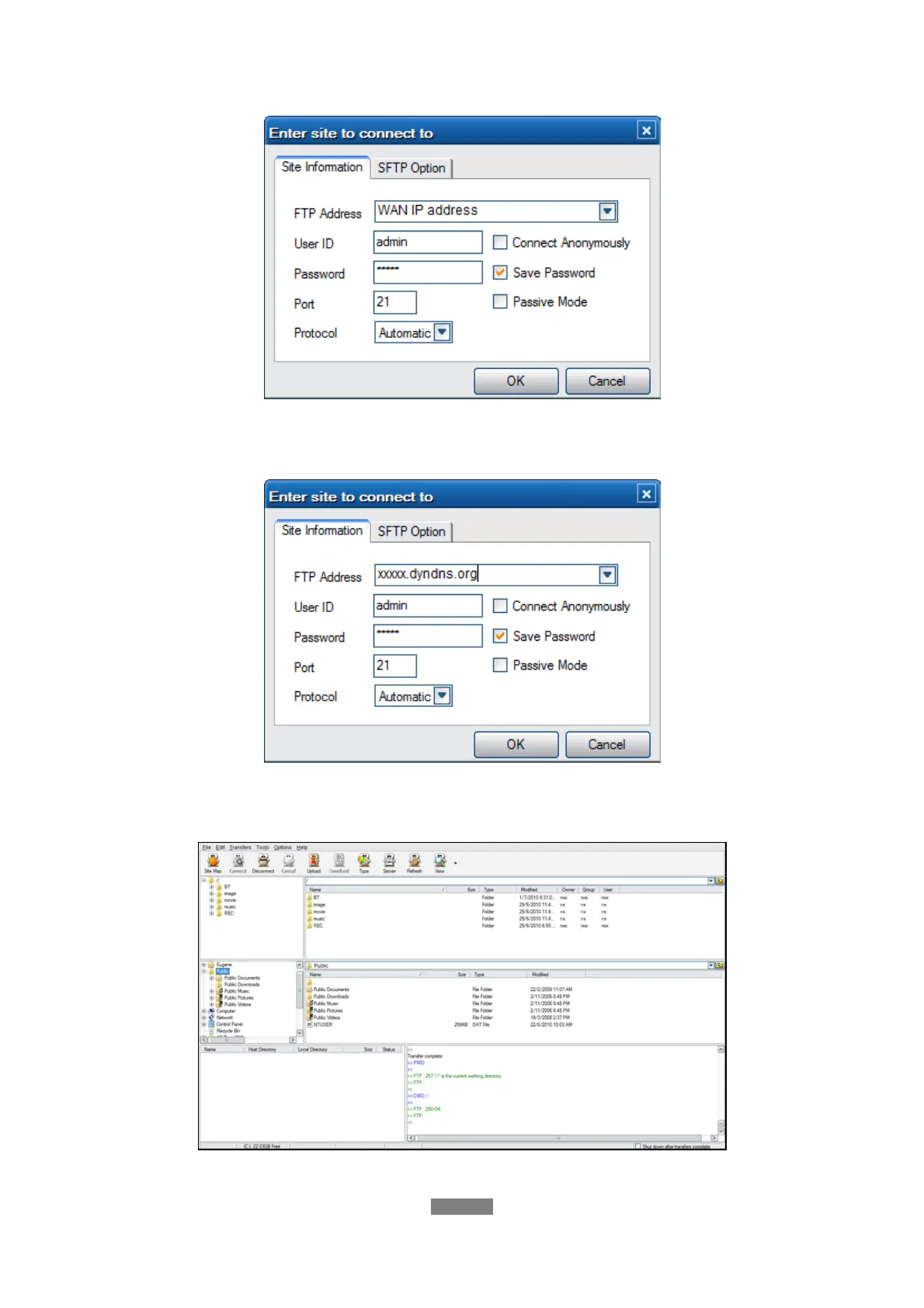
FTP Address: Your router’s WAN IP address
User ID: The User Name which was set under FTP, ’ Network setup’
Password: The Password which was set under FTP, ’ Network setup’
FTP Address: Your DDNS host name
User ID: The User Name which was set under FTP, ’ Network setup’
Password: The Password which was set under FTP, ’ Network setup’
After login is successful, you will be able to upload/download files via FTP Server.
ENGLISH
64 / 79



 To Next Page