EasyManua.ls Logo

Fantech SHR series - User Manual

Fantech SHR series
40 pages
Print Icon
To Next Page IconTo Next Page
Loading...
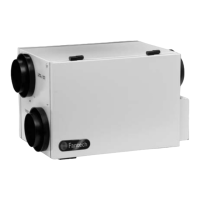
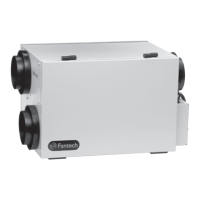
SHR / VHR Series
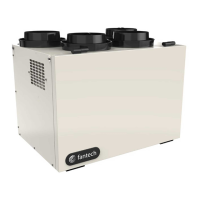
Heat recovery ventilators
fantech
Installation Manual
Item #: 405190
Rev Date: 062413
SHR 1504 SHR 1505R SHR 2004 SHR 2005R SHR 3005R SHR 3205RD
VHR 1404 VHR 1405R VHR 2004 VHR 2005R
Your ventilation system should be installed in conformance with the appropriate provincial requirements or, in the absence of
such requirements, with the current edition of the National Building Code, and / or ASHRAE’s “Good Engineering Practices”.
Fantech reserves the right to modify, at any time and without notice, any or all of its products’ features, designs,
components and specifications to maintain their technological leadership position.
Please visit our website www.fantech.net for more detailed technical information.
United States
10048 Industrial Blvd., Lenexa, KS, 66215
Tel.: 800.747.1762 • Fax: 800.487.9915
Canada
50 Kanalflakt Way, Bouctouche, NB, E4S 3M5
Tel.: 800.565.3548 • Fax: 877.747.8116

Questions and Answers

  • Z
    Zachary HernandezAug 13, 2025
    How to improve poor air flow in my Fantech SHR?
    • K
      kimbrandtAug 13, 2025
      To improve poor air flow in your Fantech Fan, consider the following: - Clean exterior hoods or vents if the 1/4" (6mm) mesh on the outside hoods is plugged. - Remove and clean the filter if it's plugged. - Remove and clean the core if it's obstructed. - Check and open indoor grilles if they are closed or blocked. - Have an electrician check the supply voltage if there's an inadequate power supply at the site. - Check duct installation if the ductwork is restricting airflow. - Increase the speed of the HRV by changing the unit control from REDUCED to NORMAL speed if the speed control setting is improper. - Have a contractor reconnect ducting if it has fallen down or been disconnected from the HRV. - Have contractor balance HRV airflows if HRV airflow improperly balanced.
  • G
    glassrubenAug 20, 2025
    Why is there persistent condensation on the window with my Fantech SHR?
    • K
      Kristen LamAug 20, 2025
      Persistent condensation on windows when using your Fantech Fan can be due to a few reasons: - The dehumidistat control may be improperly adjusted; reduce the desired level of humidity and combine this step with the use of continuous exchange mode. - There might be poor air circulation near the windows; open curtains or blinds to improve airflow. - The HRV might be out of balance; have a contractor balance the HRV.
  • M
    Mary StokesAug 25, 2025
    Why does the supply air from my Fantech SHR Fan feel cold?
    • C
      Carla VaughanAug 25, 2025
      The supply air from your Fantech Fan might feel cold due to: - Poor location of supply grilles, the airflow may irritate the occupant. Locate the grilles high on the walls or under the baseboards, install ceiling mounted diffuser or grilles so as not to directly spill the supply air on the occupant (e.g., over a sofa). Turn down the HRV supply speed. A small duct heater (1kw) could be used to temper the supply air Placement of furniture or closed doors is restricting the movement of air in the home. - Extremely cold outdoor temperatures. If the supply air is ducted into the furnace return, the furnace fan may need to run continuously to distribute ventilation air comfortably.
  • B
    Brandon SmithAug 28, 2025
    How to fix too dry air with my Fantech SHR Fan?
    • M
      Melanie DavisAug 28, 2025
      If the air is too dry when using your Fantech Fan, it might be because the dehumidistat control is set too low. Increase the desired level of humidity and change ventilation mode from continuous mode to standby.
  • R
    Rose EvansAug 31, 2025
    What to do if my Fantech SHR Fan HRV and/or ducts are frosting up?
    • B
      Benjamin DavisSep 1, 2025
      If your Fantech Fan's HRV and/or ducts are frosting up: - Have an HVAC contractor balance the HRV airflows, as improperly balanced HRV air flows can cause frosting. - Note that minimal frost build-up is expected on cores before the unit initiates defrost cycle functions, which could also be related to a malfunction of the HRV defrost system.
  • A
    Angelica DavisSep 4, 2025
    Why is there condensation or ice build-up in the insulated duct to the outside of my Fantech SHR Fan?
    • O
      oowenSep 4, 2025
      Condensation or ice build-up in the insulated duct to the outside of your Fantech Fan could be due to: - An incomplete vapor barrier around the insulated duct; tape and seal all joints. - A hole or tear in the outer duct covering; tape any holes or tears made in the outer duct covering and ensure that the vapor barrier is completely sealed.
  • D
    Daniel GonzalezSep 8, 2025
    What to do if no power is being transmitted to the control board of my Fantech Fan?
    • J
      Jennifer ArmstrongSep 8, 2025
      Make sure the unit is plugged in. The transformer may need replacing.
  • J
    Jacqueline KimNov 16, 2025
    What to do if my Fantech Fan makes the air too humid?
    • J
      John TaylorNov 16, 2025
      If your Fantech Fan is making the air too humid, try the following: - Reduce the desired level of humidity, as the dehumidistat control may be set too high, combine this with the use of continuous exchange mode. - Wait until the outside temperature stabilizes (especially in winter), as a sudden change in temperature can cause humidity. Heating will also improve the situation. - Store the majority of your wood outside, as storing too much wood for heating can increase humidity. Even dried, a cord of wood contains more than 20 gallons of water. - Ensure the dryer vent is exhausting outside, as a dryer vent exhausting inside the home can increase humidity. - Open curtains or blinds to improve air circulation near windows, as poor air circulation can contribute to humidity. - Open the door or ...

Summary

Determining Your Airflow Requirement

Room Count Method

Method for calculating ventilation based on room count and type.

ASHRAE Method

Method for calculating ventilation based on floor area and number of bedrooms.

Installation Examples

Fully Dedicated System

Installation for new construction, drawing stale air from key areas and supplying fresh air.

Partially Dedicated System

Connects fresh air to the return plenum of the air handler for conditioned fresh air.

Simplified Installation - Option 1

Connects HRV supply and exhaust to furnace cold air return. Least expensive.

Simplified Installation - Option 2

Connects HRV supply/exhaust to furnace cold air return and supply air side.

Exterior Ducting Installation

Weatherhood Location

Guidance on positioning intake and exhaust weatherhoods for optimal performance and safety.

Installing Ducting to Weatherhoods

Instructions for connecting flexible insulated ducting to weatherhoods and outer wall.

Steps for Hood Installation

Step-by-step guide for installing intake and exhaust hoods on the exterior wall.

Interior Ducting Installation

Installing Ducting to HRV

Guidelines for connecting flexible or solid ducting to the HRV unit's connections.

Supply Air Grilles Location

Recommendations for placing supply air grilles in various home configurations.

Exhaust Air Grilles Location

Recommendations for placing exhaust air grilles in areas with poor air quality.

Ducting Fifth Port Units (R)

Specific instructions for ducting the fifth port on certain HRV models for defrost/recirculation.

HRV Installation

Location

Guidance on selecting an appropriate, conditioned space for the HRV unit installation.

Mounting

Instructions for physically mounting the HRV unit using provided hardware or chains.

Installing Drain Line

Steps for connecting the condensate drain line, including a P-trap, for proper drainage.

Start-Up Procedure

Airflow Balancing

Adjusting Airflows

How to use the integrated damper to adjust fresh air intake for optimal airflow.

Measuring Airflow Using Station (Grid) Method

Step-by-step guide to measuring airflow velocity using a flow measuring station and gauge.

Low Voltage Control System

ECO-Touch Control

Details on the programmable touch screen wall control for managing HRV settings and modes.

EDF Series Controls

Operation of EDF1 and EDF1R controls for continuous low speed, timed cycles, and high speed.

MDEH Series Controls

Functionality of MDEH1 and MDEH2 controls for managing indoor humidity levels.

RTS Series Controls

Operation of RTS2 and RTS3 controls for timed continuous high-speed operation.

Electrical Connections

Electrical Connection to Furnace

Standard and alternative wiring methods for connecting the HRV to a furnace for heating or cooling.

Troubleshooting

HRV Maintenance Chart

Limited Warranty

Fantech SHR series Specifications

General IconGeneral
Bearing TypeHydraulic Bearing
Current0.16A
Power1.92W
Fan Dimensions120mm x 120mm x 25mm
Rated Voltage12V

Related product manuals