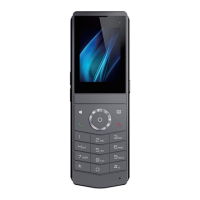
DECT W710P (W710D+W610D) User Manual
Lock Phone: When the keyboard lock function is enabled, press this button to
manually lock the keyboard.
SMS: Enter the SMS interface.
Call Back: Callback the number of the last incoming call.
Hide DTMF: Enter the hide DTMF settings interface.
Intercom: Open the dial and call out the entered number through intercom.
Group Listen: Press this button during a call to play the other person's voice
through the earpiece/earphone and hands-free.
Prefix: Configuration number prefix. When dialing, press this button to
automatically add a prefix number.
End: Ends the current call.
Disposition: This feature relies on Broadsoft servers and is a method of
recording call information in the call center.
Escalate: This feature is related to Broadsoft servers, and during a call, press to
send the corresponding SIP message to the server.
Trace: This feature is related to Broadsoft servers and sends call information
during or after a call.
Handsfree: Enter the hands-free dialing number or switch the hands-free
channel.
Answer: Press the button to answer an incoming call.
Local contact: Enter the local contact interface.
XML Group: Enter the cloud phone book interface.
Auto Headset: enable or disable the Auto Headset mode, which is enabled by
default.
Dsskey Page 1: Enter the Dsskey display/settings interface on the first page.
Dsskey Page 2: Enter the Dsskey display/settings interface on the second
page.
DTMF: Press this button during a call to send the configured values in sequence to
the remote end.
URL: Access the configured remote URL address, which can be set to an XML
phone book address, etc.
BLF List key: This function depends on the Broadsoft server. Add the numbers that


 To Next Page