12
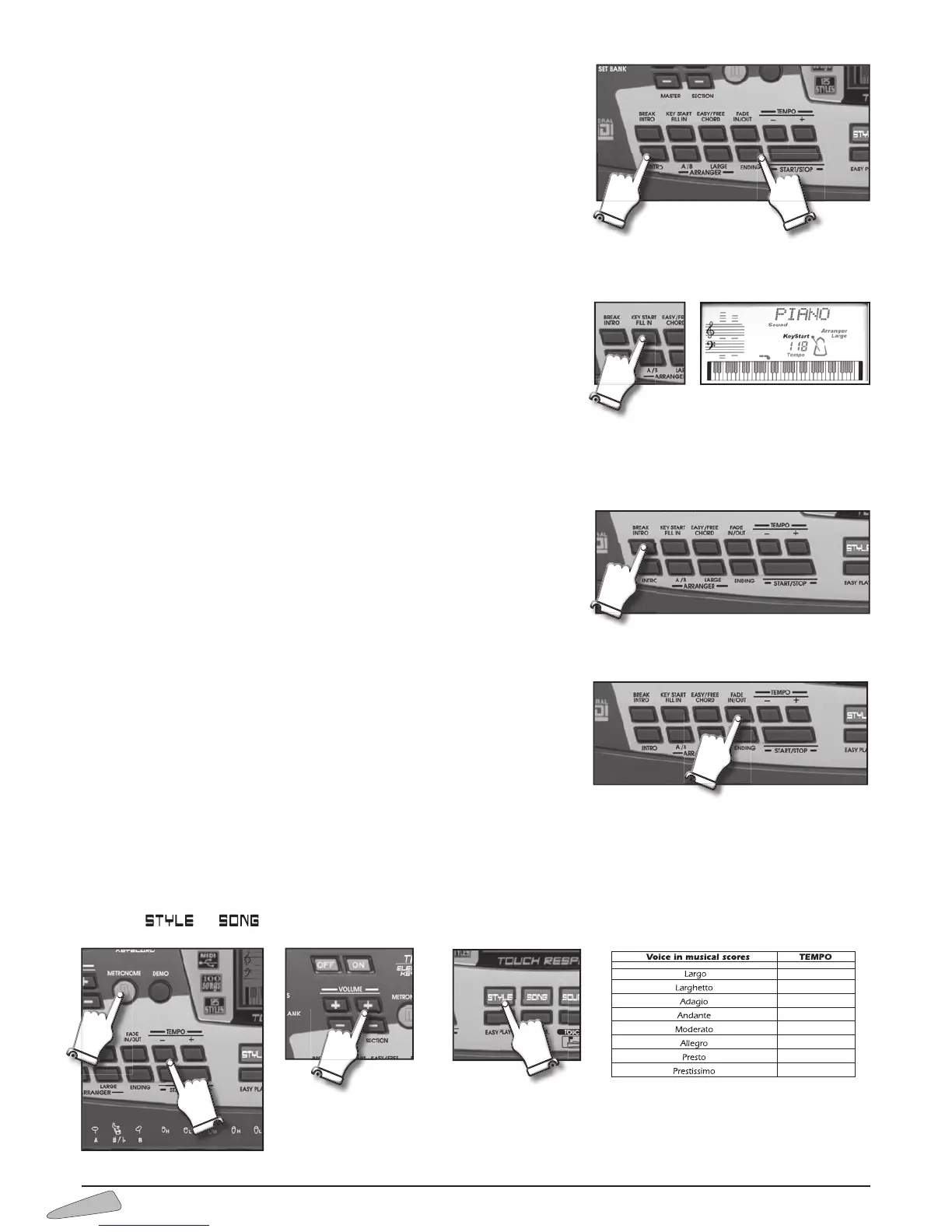
Intro
When a rhythm is stopped, by pressing the INTRO button the display will show
“Intro” and a rhythm style is predisposed, and a preliminary music sequence will
then starts when you press the START / STOP or KEY START buttons.
Ending
When a rhythm is on, by pressing the ENDING button, a final musical sequence
stars.
Key Start
The KEY START function starts the rhythm by pressing one or more keys on the
keyboard.
It is enabled with the rhythm stopped, the display visualises “Key Start”.
If the keyboard is split, you can activate the rhythm by playing a chord in the left
part of the keyboard.
If it is not split, play a chord including at least three keys anywhere on the keybo-
ard.
Fill In
When a rhythm is on function and you press the FILL IN button you produce a rhythmic variation of the drums.
Break
By pressing the BREAK control during the performance of a rhythm style, you will
activate an orchestral ‘break’.
By pressing BREAK when the rhythm is not playing, a brief introductive orchestral
break will be executed. The display shows “Intro”. During the "Ending", BREAK
restores normal rhythm.
Fading or Crescendo (FADE)
The fading function allows to fade the execution automatically lowering the volu-
me until it stops. FADE, selected before the rhythm starts, produces an increasing
volume from zero until the normal level.
While the rhythm is on, by pressing FADE the display visualises “
Fade out” and
it will fade until disappearing.
With the rhythm stopped, by pressing FADE, the display visualises “
Fade In”
and, when the rhythm starts, execution will having an growing volume.
Metronome
The metronome helps you to learn the music, giving the beat during musical exercises and simulating the traditional time-marking
instrument.
It can be turned on and off with the METRONOME button. To change the tempo, use the “TEMPO +/–“ buttons. To set the volume,
press the or button and use the VOLUME SECTION +/– button.
Chart of general BEATS for the METRONOME
32 - 60
60 - 66
66 - 76
76 - 108
108 - 120
120 - 168
168 - 200
200 - 240



 To Next Page