24
Sound selection
Point the mouse on the small ‘triangle’ below the writing PRESET, where initially there is the name “Big Brass”. Click to view the list
of the 16 sounds already programmed by the manufacturer.
Choose a sound and click the keys on the keyboard to listen to the new timbre. Every time a sound is changed, the values of the
various parameters are updated and displayed automatically.
The arrows “<“ and ”>“ allow you to select the sounds going back and forth.
The number of the sound selected is displayed with the numbers below the small triangle (
). For example, “1/16” means that
the 1st sound of the 16 has been selected.
PRESET section
‘Triangle’ (
) – To select a sound on the list
< > - To select a sound moving back and forth
Change name – To assign the name to a new sound; type the new name and then click
Enter.
File – To save or recall a sound from a folder in the PC
Save Sound – To save a sound with new parameters in the desired folder
Load Sound – To recall a sound from a folder in the PC
Save all Sound - To save the sound block in a folder of the PC
Load all Sound – To recall the sound block from a folder of the PC
Store to keyb. – It transfers all the parameters of the sound selected to one of the 16 sound locations (SOUND 201 - 216) of the TK89.
The new sound with the changed parameters stays in the memory even if the instrument turns off.
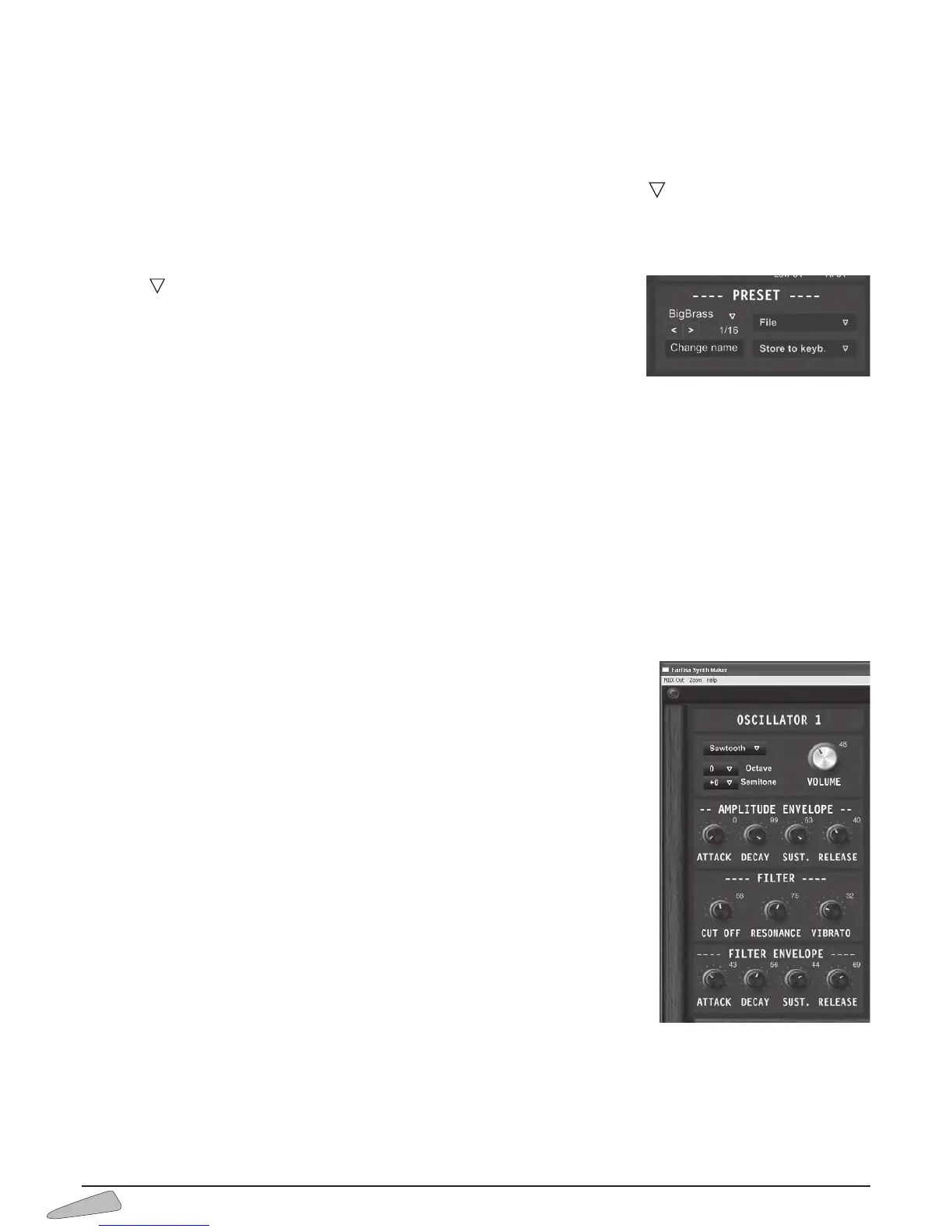
OSCILLATOR 1 and OSCILLATOR 2 sections:
OSCILLATOR 1 - To set the parameters of Oscillator number 1
VOLUME - To adjust the volume of the wave shape of oscillator 1
Wave shape – To choose among 4 wave shapes: Sinusoidal, Saw tooth, Triangular and
Square
Octave - To set the sound octaves, -1 for lower pitches or +1, +2 o +3 for higher pitches.
Semitone - To set the semitone from 0 to +11. For higher or lower semitones, move the
octave and then fix the desired semitone.
AMPLITUDE ENVELOPE - To set the amplitude envelope parameters.
The parameters are ATTACK , DECAY, SUSTAIN and RELEASE.
FILTER - To set the filter parameters.
The parameters are:
CUT OFF - To adjust the filter cut frequency
RESONANCE - To adjust the brightness of the filter
VIBRATO - To set the depth of the vibrato
FILTER ENVELOPE - To set the parameters of the filter envelope.
ATTACK - to set the attack of the filter envelope
DECAY - to set the decay
SUST. - to set sustain
RELEASE - to set release.
OSCILLATOR 2 - To set the parameters of Oscillator number 2.
The parameters of oscillator 1 and 2 have the same names but are set differently. They allow to obtain an infinite number
of combinations.



 To Next Page