5
ENGLISHFRANÇAISDEUTSCH
ESPAÑOLITALIANO
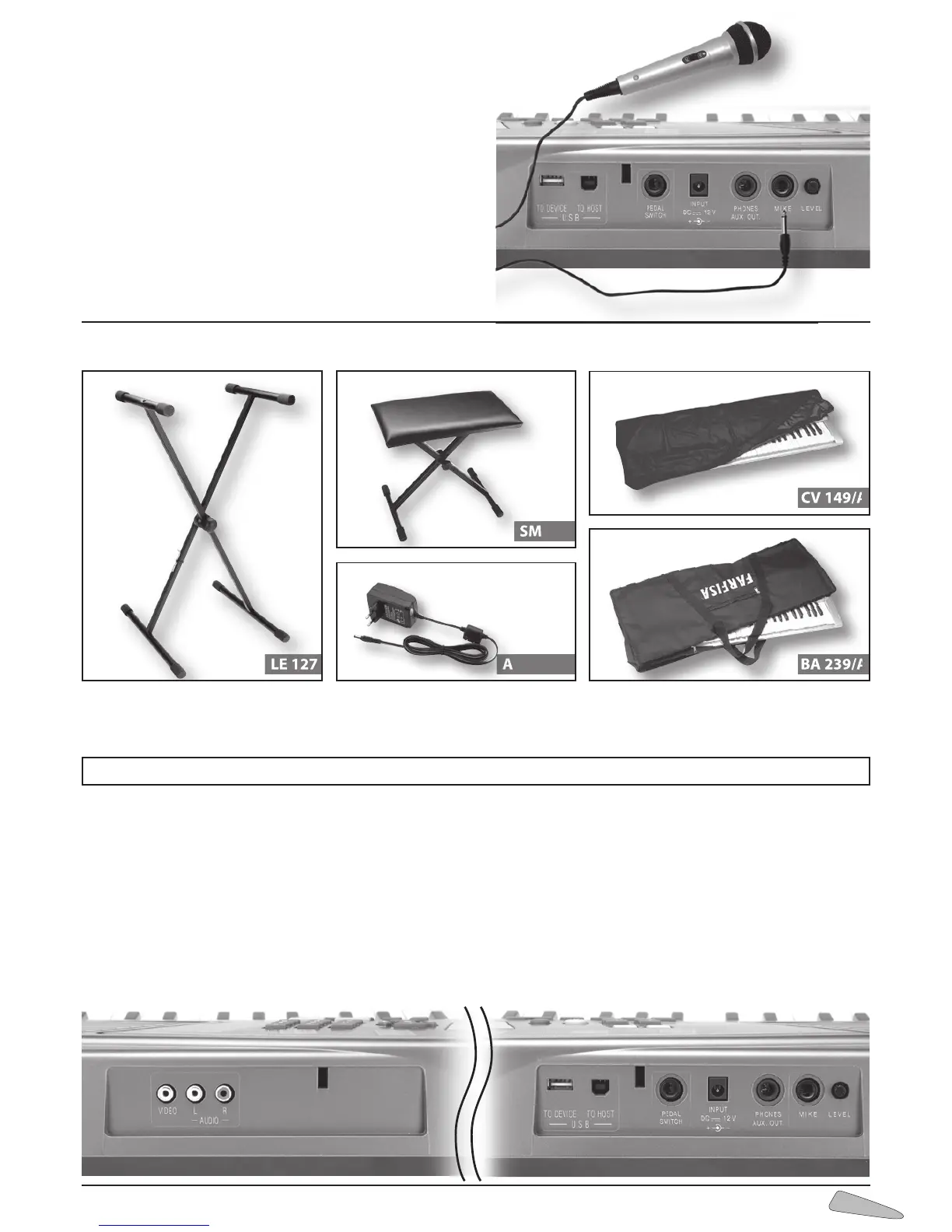
3. SOCKETS
VIDEO - Socket for connecting TV.
AUDIO L / R - RCA sockets for external audio connection.
L (left) = left audio output; R (right) = right audio output.
USB TO DEVICE - Socket to connect a USB Flash Drive.
USB TO HOST - Socket to connect the keyboard to a compu-
ter using the provided cable.
PEDAL SWITCH - Socket for sustain pedal.
INPUT DC 12 V - Switches the instrument on with an AC/DC
adapter (Vdc = 12V - I = 2,25A).
PHONES / AUX . OUT - Socket for headphones and Hi-Fi;
output impedance 150 Ohm – To play without disturbing
and/or being disturbed, you can use a stereo headphone.
When the cable is inserted the speaker is automatically exclu-
ded and all sections of the keyboard can be heard in the
headphone. The socket also allows an additional stereo
amplifier, a recorder, etc. to be connected.
Warning: only connect stereo cables to the “PHONES/ AUX-
OUT” socket.
MIKE - Socket for connect a microphone.
Microphone
Connecting microphone
At the front of the TK 89 there is a MIKE socket for connecting
the dynamic microphone (included) (impedance 600 Ohm).
Microphone volume
Adjust the volume turning the LEVEL knob on the back of the
keyboard, near the jacks.
N.B.: An excessive volume increase could cause ano-
malous sounds.
Optional accessories
ADS 1223 BA 239/A
CV 149/A
LE 127
SM 420
Metal legs
Keyboard bench
Dustcover for top of keyboard
Zip-up carry bag
Adaptor
ATTENTION: Use only the optional accessories specially for this keyboard. Use of unauthorised accessories can entail danger of
fires, electrical shocks and physical injuries to persons.



 To Next Page