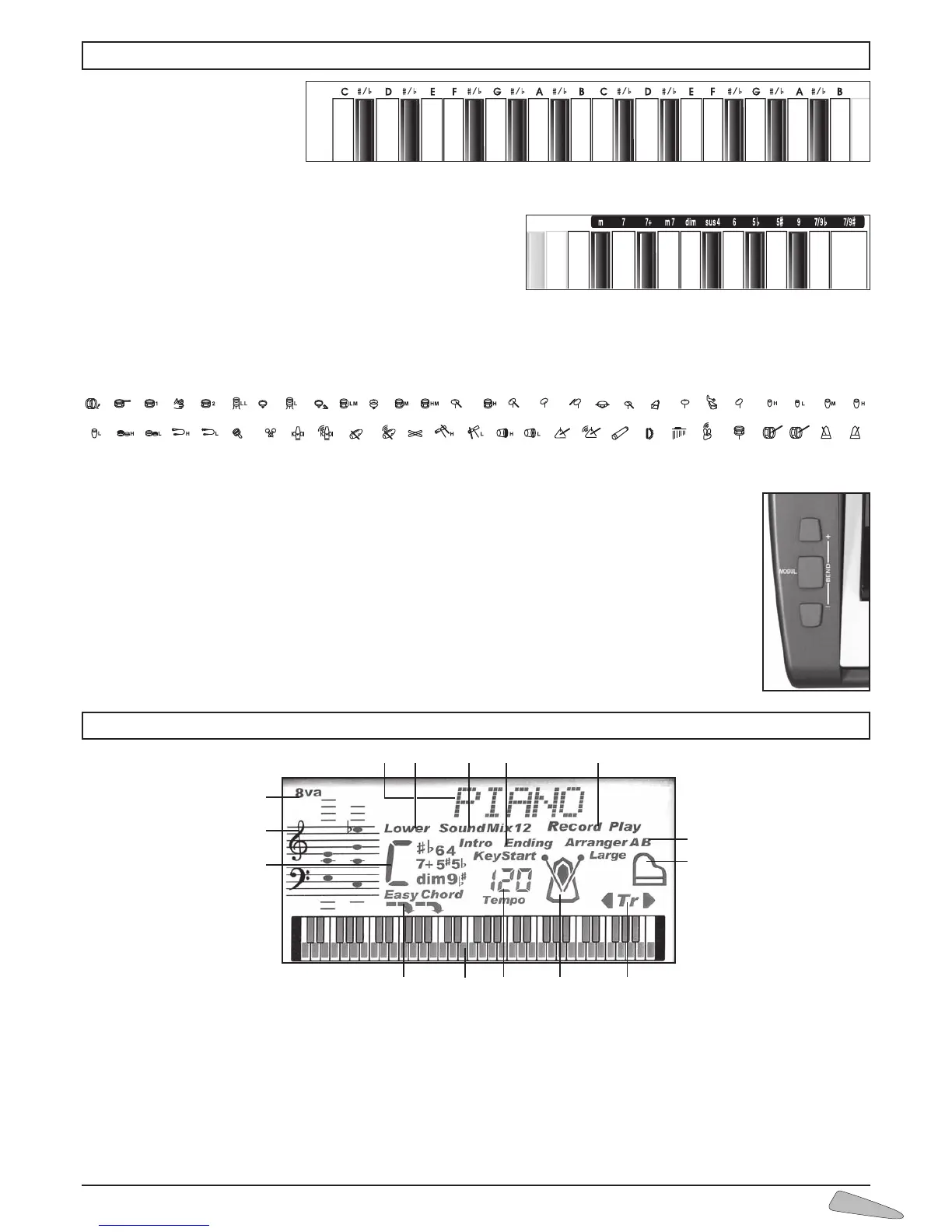
1) Indicates the
name of sounds,
rhythm styles,
volumes and
other functions.
2) Indicates the
selection for the
tone of the left
side of the keybo-
ard or Lower.
3) Shows the selec-
tion of the two
mixed sounds.
4) Indication of
“Intro”, ”Ending”,
”KeyStart” con-
trols for the rhythm style.
5) Indication of enabled SEQUENCER: “Record” or
“Play”.
6) Indication of active automatic accompaniment
and pattern (Arranger A, B, A-Large, B-Large).
7) Indicates “PIANO” function is active.
8) I n d i c a t e s
“TRANSPOSER” is
active (transposi-
tion high or low).
9) Metronome icon,
shows beat tempo.
10) Indicates the speed
of the rhythm style,
of the song, of the
metronome or the
MIDI file.
11) 61 key keyboard
showing notes that
are pressed or that
have to be pressed if
in MAESTRO mode.
12) Indication of Split point (19 or 24).
13) Indication of the identified chord and EASYCHORD
function.
14) Pentagram with notes displayed.
15) Indicates an octave higher for the last 5 keys.
Letters on the left
Indicate the basic note for the
name of the chord.
The dictionary chord
When function 39 Dictionary is enabled, the display shows name and
composition of chords.
The rhythm instruments of the MANUAL DRUM
With the 199 Drum Standard or 200 Drum Power function active, each key corresponds to a percussion instrument.
With the functions 90 to 97, other percussion instrument groups can be selected (see DRUM SET TABLE at the end of the User
Manual).
Bending and Modulation Controls
There are three buttons at the far left of the keyboard: two BEND (Pitch Bending) and one MODUL.
(Modulation).
Playing a note and pressing one of the two BEND buttons will create a pitch variation of that note. This varia-
tion simulates the “bending” of a chord of an instrument such as a guitar. The “Modulation” control performs a
pitch modulation of the sound.
6. THE DISPLAY
14
13
7
1
8
2 3
4 5
6
91011
12
15
5. DIRECTIONS ON THE KEYBOARD



 To Next Page