13
ENGLISHFRANÇAISDEUTSCH
ESPAÑOLITALIANO
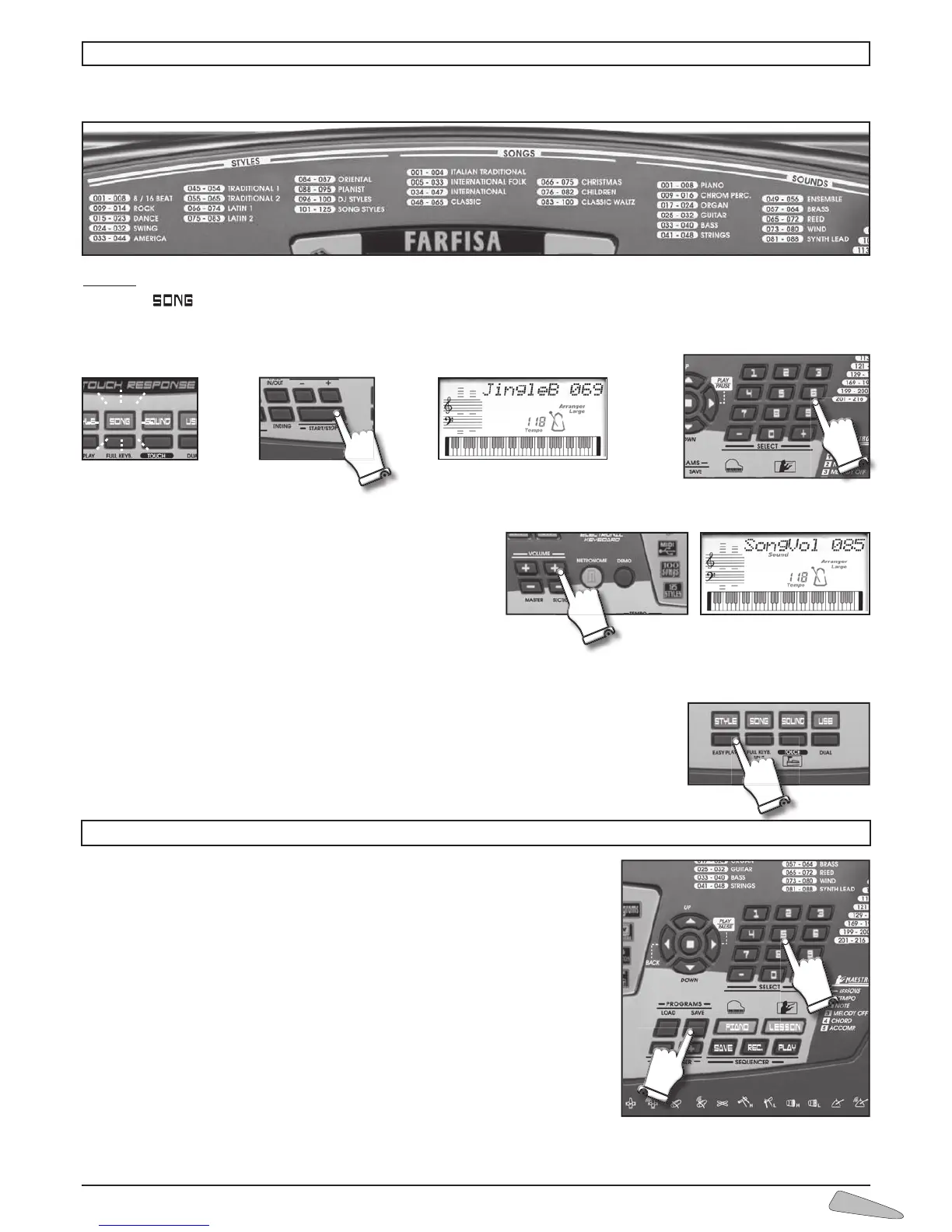
The instrument contains 100 classic repertoire songs.
To select the songs, enter a three digit number according to the SONGS list.
Example: for song 069 JINGLE BELLS,
•pressthe
button (light on);
•typeontheSELECT numerical keyboard, 0, 6 and 9;
•presstheSTART/STOP button to start or stop the musical performance.
Song volume
To adjust the volume of a song, press the keys “ + / – ” of the
VOLUME SECTION. The display visualises “SongVol.” with the
volume value. By holding the button pressed down, the variation
becomes continuous. To restore the standard volume press toge-
ther buttons VOLUME SECTION + and VOLUME SECTION –.
When a song is being played, you can immediately listen to other songs by entering the number of the song you have chosen or
by using the SELECT “– / +” buttons.
The EASY PLAY control sets the melody of the song and the standard TEMPO on the keyboard..
11. SONGS
12. PROGRAMS
A program is a function which allows to set some parameters on the keyboard pressing
only two keys. It is possible to store and recall the different functions of the keyboard
by using the programs.
10 memorised programs are available in the USER bank.
To memorise a program in the User bank
1. press SAVE PROGRAMS. The display indicates “
Save Prog ?”
2. press a number from 0 to 9 on the SELECT keyboard
3. the display indicates “
ProgSaved”.
The program is memorised in the memory area indicated by the chosen number.
To recall the program
1. press LOAD PROGRAMS. The display indicates “
Load Prog ?”
2. press a number from 0 to 9 on the SELECT keyboard
3. the display indicates “ProgLoaded”
To restore the initial programs of the User bank, type 76 Clear User.
To recall programs previously set by the manufacturer select a number from 77 to 79 as indicated in the Program Bank paragraph
in chapter 15. FUNCTIONS



 To Next Page