8
8. THE KEYBOARD
It is composed of 61 touch sensitive professional keys.
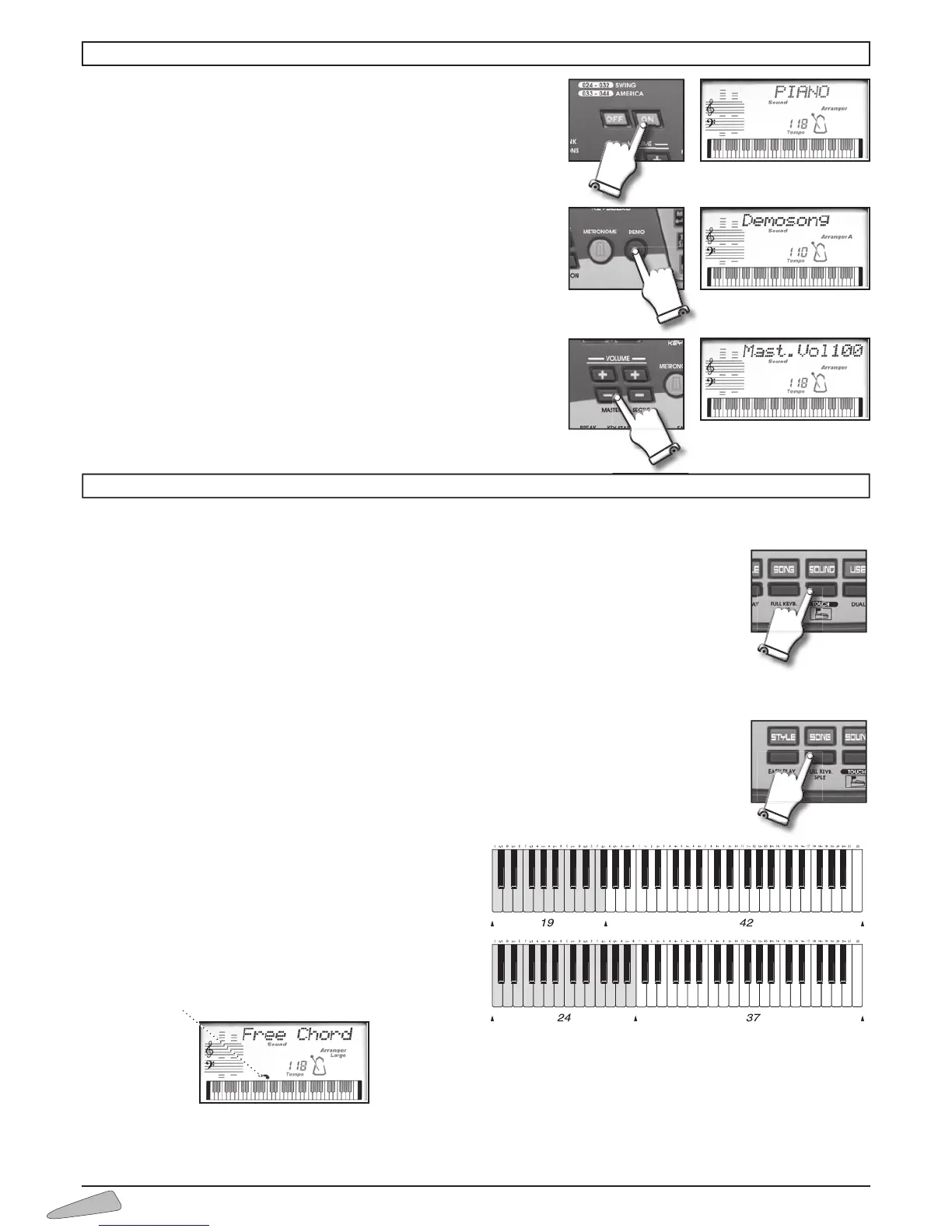
TOUCH
The keyboard can play with a more or less strong volume depending upon the pressure that is put on the
keys (like a traditional piano).
To eliminate or to insert this function press TOUCH.
The display visualises “
Touch Off” to eliminate and “Touch On” to insert the function.
The function is inserted when the instrument is turned on.
SPLIT
1. When simply turned on, one single sound is enabled over the whole keyboard, together with the chord
identifier.
2. By pressing the FULL KEYB/SPLIT button, the keyboard will be divided into two sections: one dedicated
to accompaniment to form chords (keys on the left) and the other one to play the melody (keys on the
right).
It is possible to set the point where the keyboard will be divided
into two modes:
a. by entering 31, the display indicates “
Split 19”; this
means that the left part of the keyboard goes from the
first to the nineteenth key.
b. by entering 32, the display indicates “
Split 24”; this
means that the left part of the keyboard goes from the
first to the twenty-fourth key.
The keyboard on the display shows the division point
with an arrow.
Chords can be played in the FREE CHORD mode, which means in the traditional way, or in the EASY CHORD mode, which means
in the simplified mode (see the "Lower" paragraph).
Switch on and switch off (ON/OFF)
The instrument can be turned on and off by using the ON/OFF button. When
turned on, the keyboard is set to operate with the PIANO sound, the 8 Beat 1
rhythm and the song 'O SOLE MIO.
Demo
Switching on the DEMO button, a melody that will emphasise the characteri-
stics of the keyboard will play.
To turn off the melody press the DEMO button.
Volume Master
To regulate the volume of the instrument you must use buttons MASTER
VOLUME + (to turn up) or MASTER VOLUME – (to turn down). By holding the
button pressed down, the variation becomes continuous.
To restore the standard volume press both MASTER VOLUME + and MASTER
VOLUME – buttons together.
7. OPERATION



 To Next Page