a D:GROUP company
00020EN Rev.09 – 12/2012 9
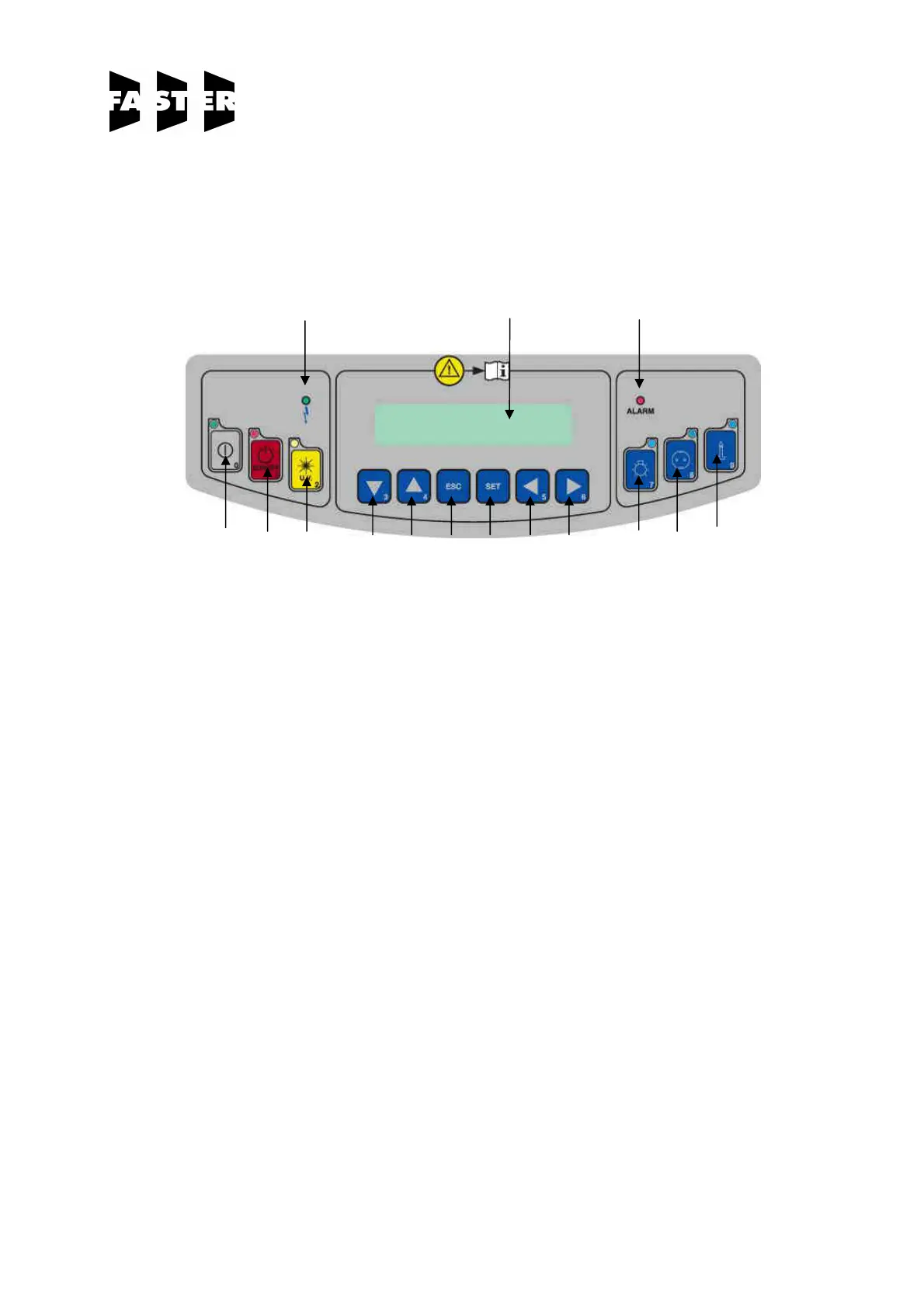
4.C SYMBOLS of CONTROL BOARD
List and description of all the symbols and controls of the control board :
12 13 14
0 1 2 3 4 10 11 5 6 7 8 9
0 MAIN SWITCH:
Position "0" in the "0" position, the green light of the mains voltage is on [12]; the LCD
displays the model name.In this position the operator can activate only the
fluorescent light [7], the U.V. lamp [2] and the power outlet [8] (with plug installed)
and can activate the data stored in the microprocessor by pressing the “Right
Arrows” key [6].
Position "I" Press key "I" [0], if the PCB for the automatic regulation is installed (OPTIONAL),
insert the password using the small numbers in the right lower corner of the keys
and press SET. Default password is 5 – 4. When the password is typed in the
green led of the switch lights up and the cabinet starts operating, the motor-
blower is powered and first "CHECK PANEL" then "STAND-BY" appears on the
display till the air flow reaches the pre-set value. In addition, an audible alarm will
sound intermittently during this stand-by period, alerting the operator not to start
working yet. When the audible alarm stops and the message "STAND-BY"
disappears from the display, the cabinet is ready for use. The air velocity is
displayed.
NOTE: In any case, it is advisable to wait 5 minutes before starting work.


 To Next Page