37
If you want to change the setting described above, please follow the following steps
to perform the setting:
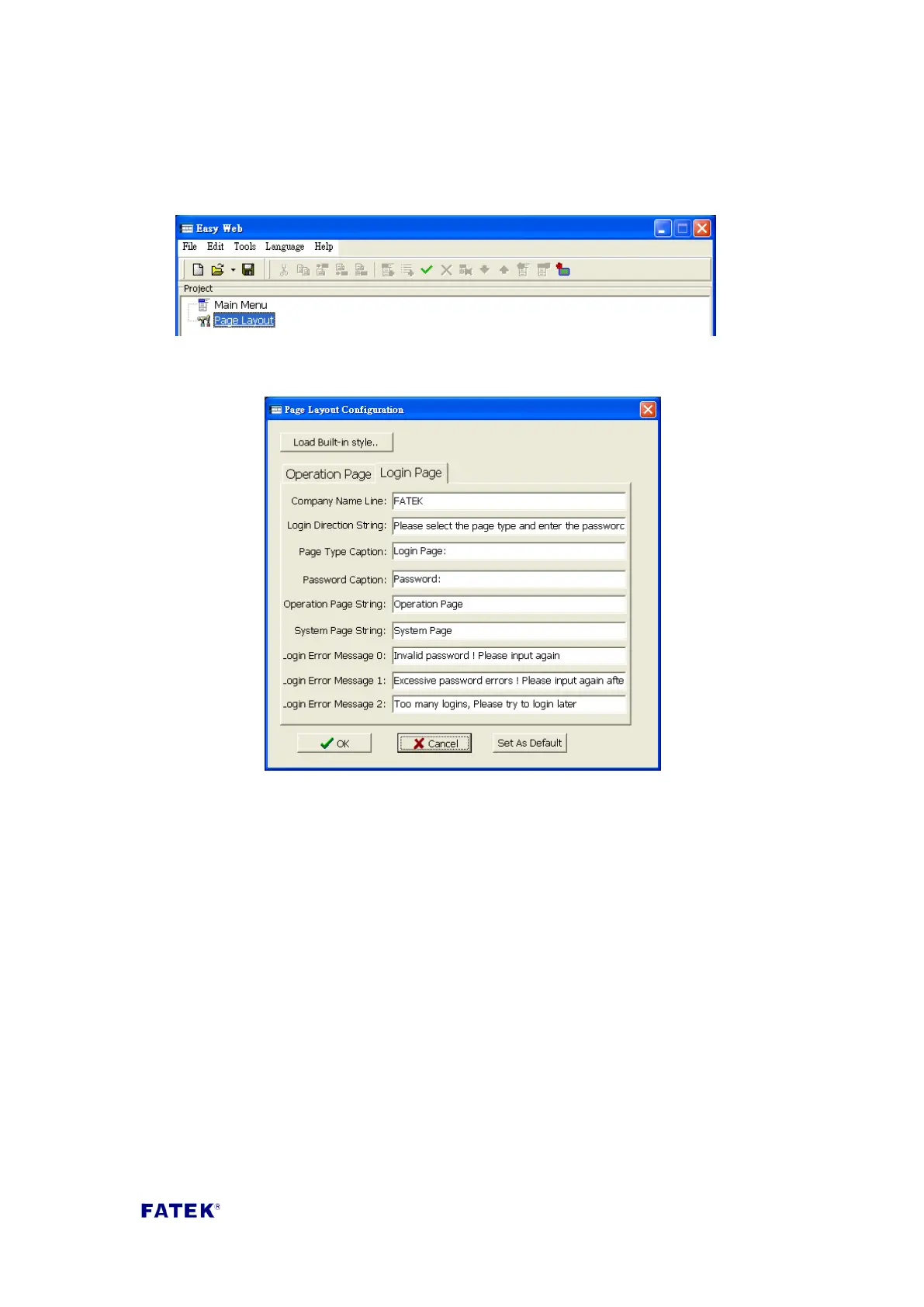
Step 1, open Easy Web Designer, and double click on “Page Style Setting” on the
created project.
Step 2, after double clicking, the style setting window will appear, click the “login
page” tab to perform setting; detailed description of each field are as follows.
Page title: The operation description text on the login screen.
Company title: The title text displayed on top of the login screen.
Page selection title: The title text displayed on the login screen before the page
selection item.
Password title: The title text displayed on the login screen in front of the
password input box.
Operating page string: The selection string displayed on the login screen when
the selected item is operation page.
System page string: The selection string displayed on the login screen when the
selected item is system page.
Login error message 0: The message displayed in the dialog box when there is a
login error.
Login error message 1: The message displayed in the dialog box when the wrong
password has been entered 3 times.
Login error message 2: The message displayed in the dialog box when the
maximum allowed login count is exceeded when logging in.



 To Next Page