38
Operation-page style
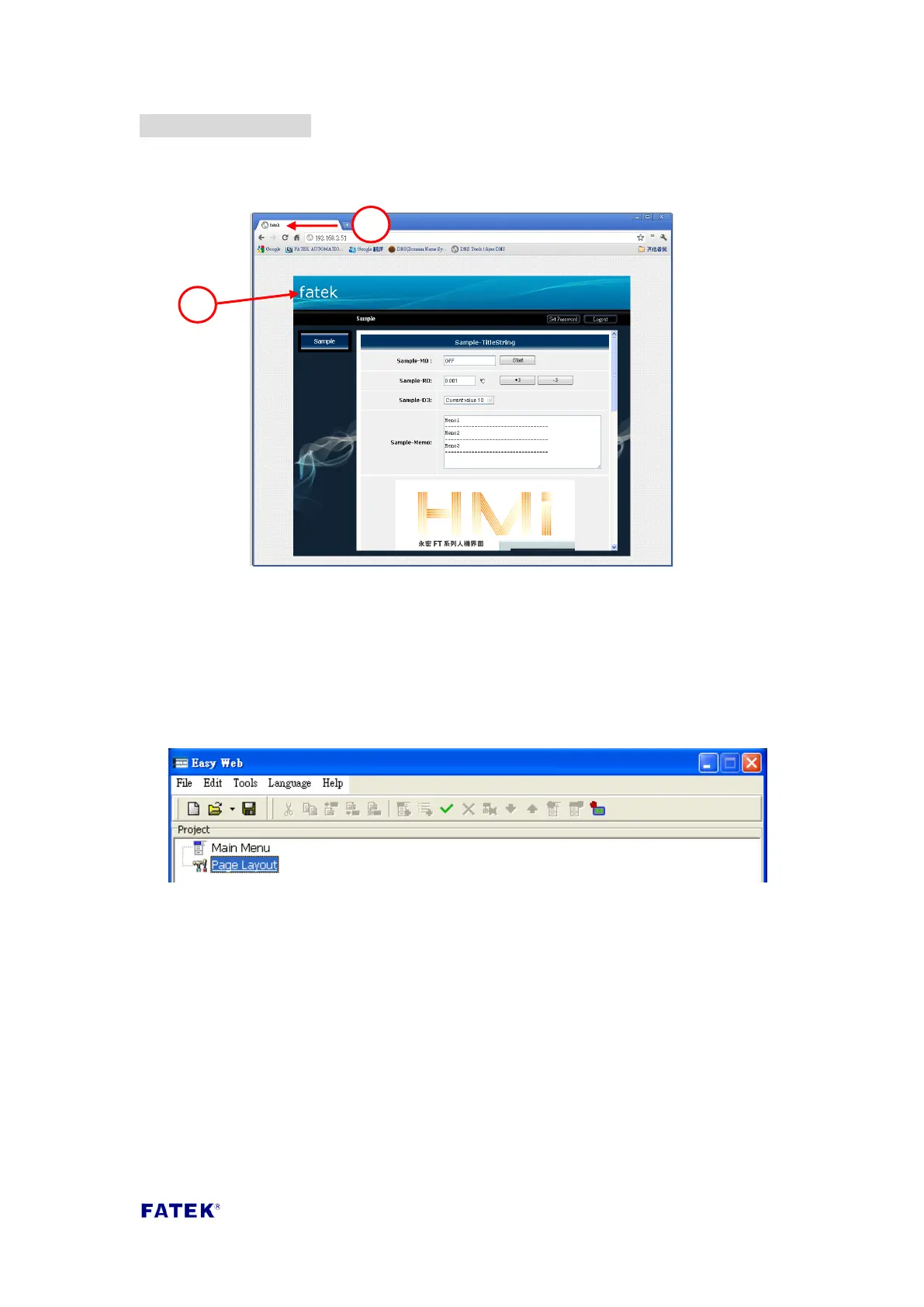
The webpage operation-page provided by the FBs-CBEH series expansion board is as
shown in the figure below; the data specified in the figure are parts where the style
can be changed.
① Page title: The title text displayed on the web browser.
② Company title: The title text displayed on top of the login screen.
If you want to change the data described above, please follow the following steps to
perform the setting:
Step 1, open Easy Web Designer, and double click on “Page Style Setting” on the
created project.
Step 2, after double clicking, the style setting window will appear, click the “login
page” tab to perform setting; detailed description of each field are as follows.



 To Next Page