42
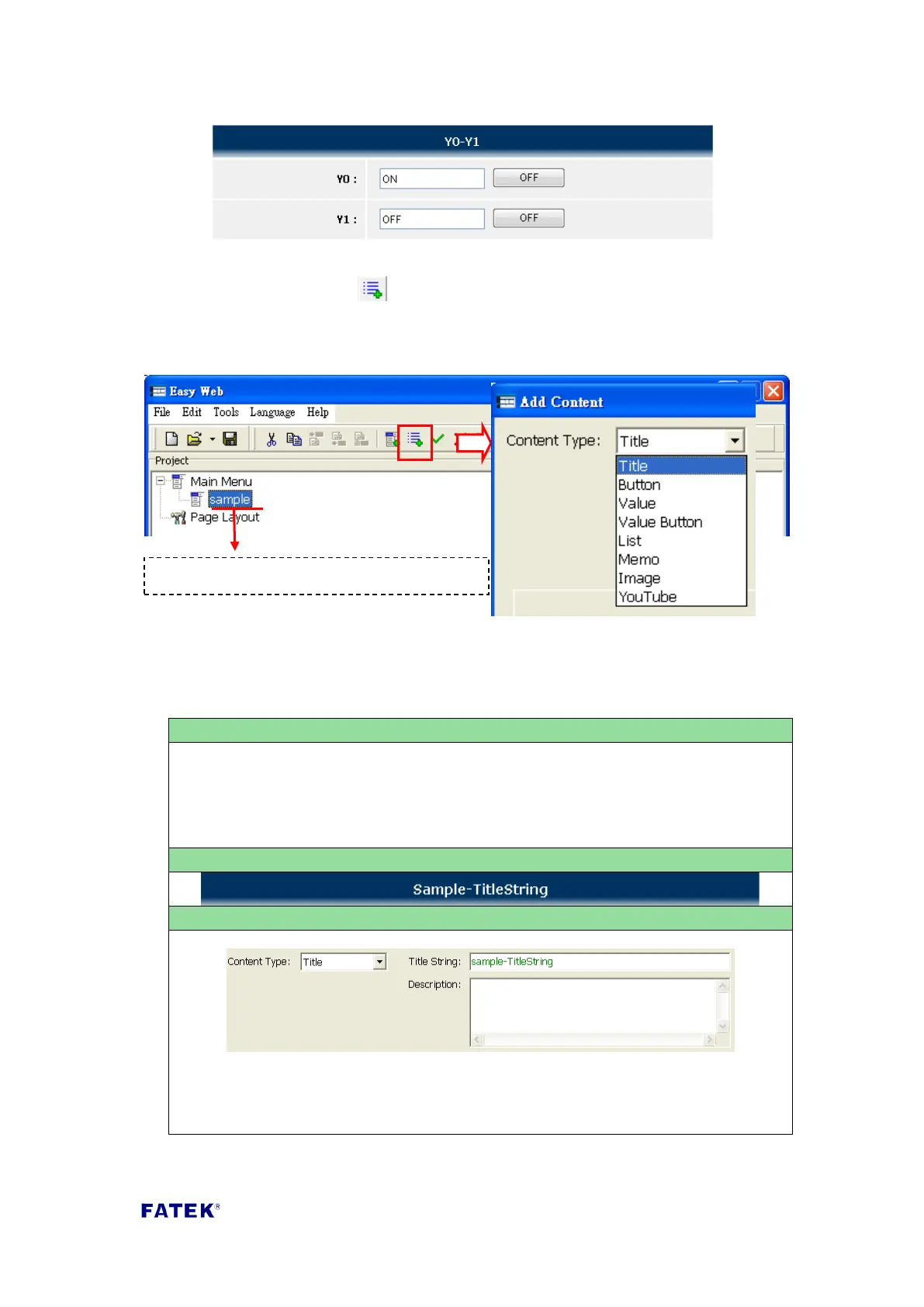
The adding method of control contents is to click on the created menu; when the
menu item is clicked, the “ Add Content” function button will appear on the
toolbar. When this toolbar button is pressed the add new content function window
will appear; select the content type needed to complete the setting and upload it
onto the FBs-CPU module to achieve simple PLC controlling and status monitoring.
Easy Web Designer provides 8 content items, please refer to the table below for their
setting methods:
Title
Title text used for control item categorization; only used for identification, no
actual control contents. When designing, title text can be used to separate
control items with different features on the same page for easy identification.
Content Type: Select “Title”.
Title String: Fill in the title text to display.
First select the menu item to add contents



 To Next Page