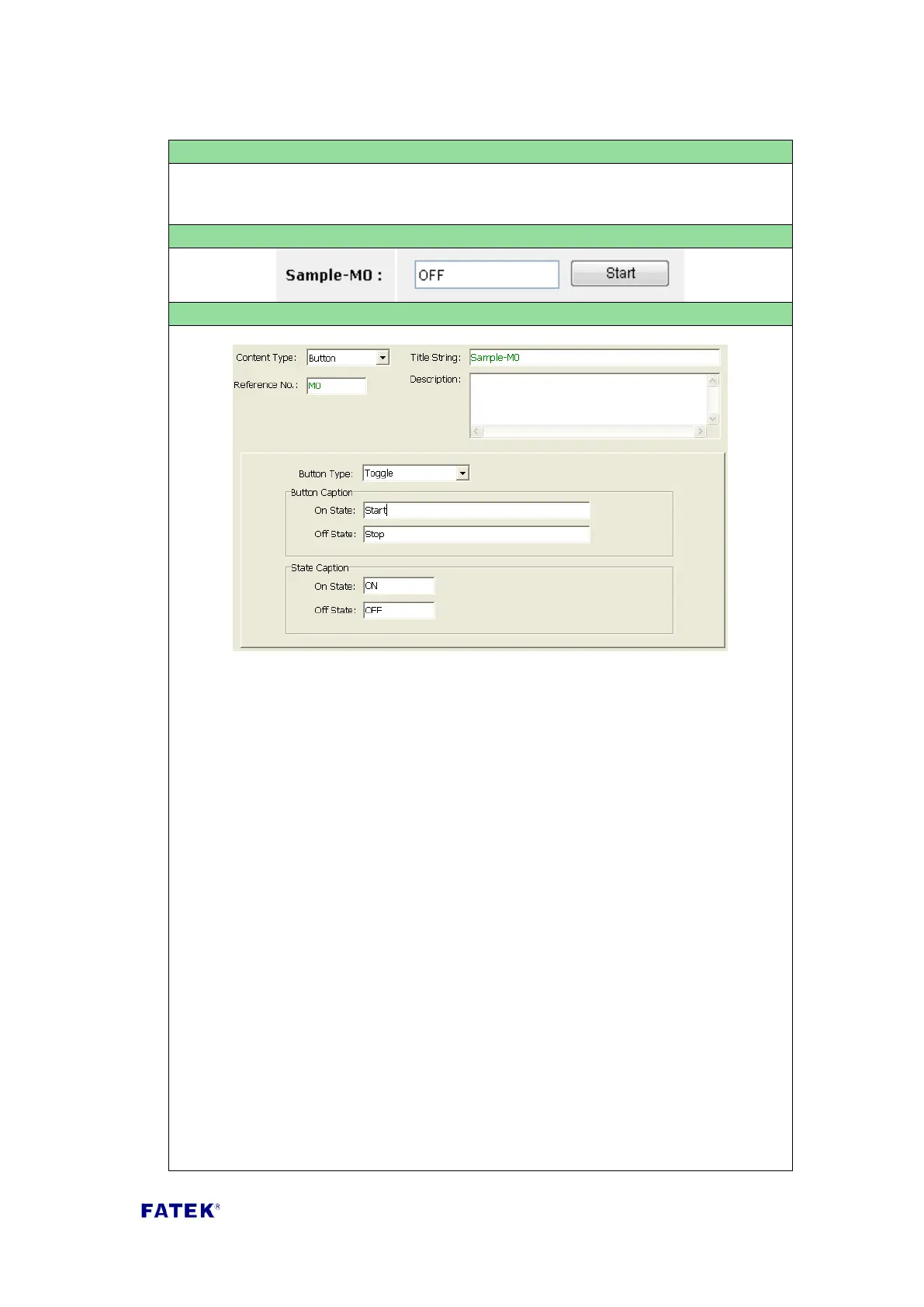
Content Type: Select “Button”.
Title String: The title description of this button, such as the text displayed in the
Sample Screenshot “Example-Button M0 Switch”.
Reference No.: The reference number of contact point to be monitoring. The
allowable reference are X, Y, M, S type.
Button Type: There are following buttons can be selected
“Toggle” – Change state for each button press.
“Set On” – Change to on when button press.
“Set Off” – Change to off when button press.
“Momentary On” - Change to on whenever the button is depressed, change to
off when button is released.
“Momentary Off” - Change to on whenever the button is depressed, change to
off when button is released.
Button Caption: “On State” - the text shown on the button when the contact
point is on state. “Off Status Text” - the text shown on the button when the
contact point is off state
Status Caption: “On State” the text shown on the value field when the contact
point is on state. “Off State” - the text shown on the value field when the
contact point is off state.



 To Next Page