b) Insert an USB disk with data packge cardb.zip to F7 series tablet
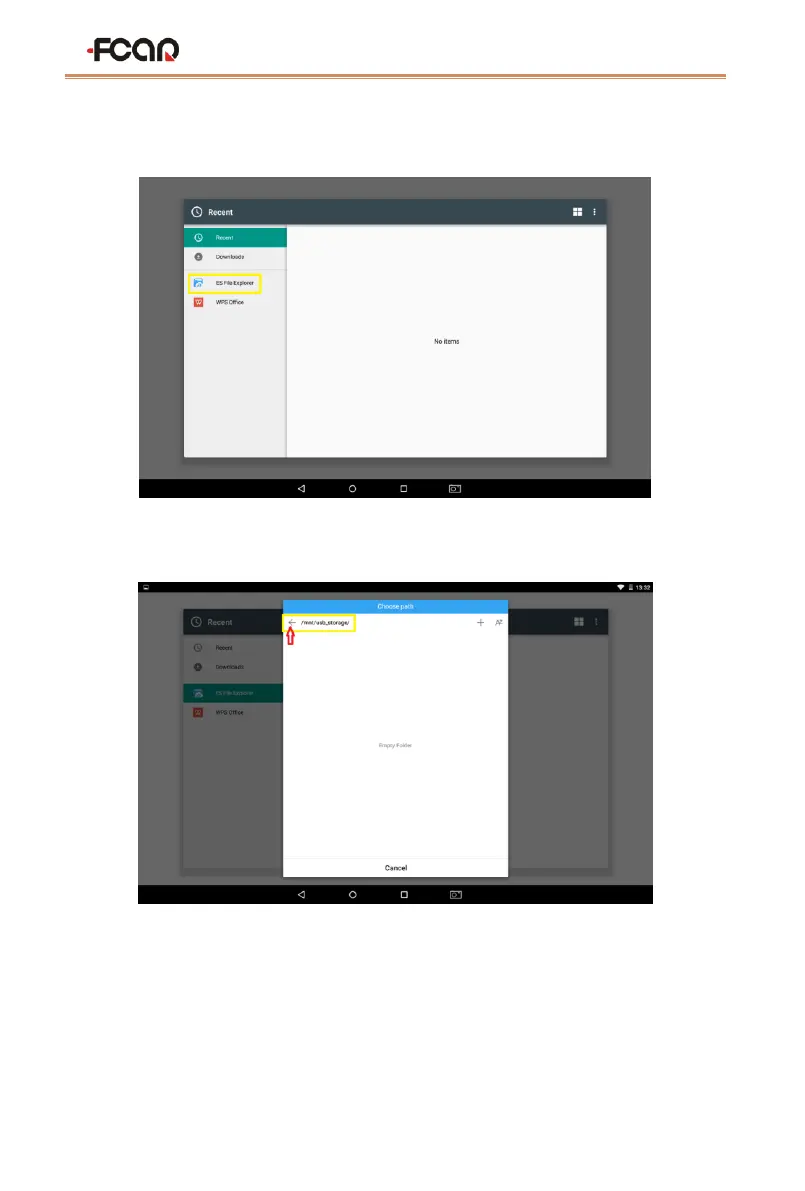
c) Click [Select file], you will see [ES File Explorer]
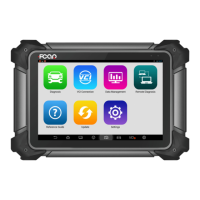
d) Open [ES File Explorer], and the system will pop up [Choose path] dialog, then
click the arrow to return to the homepage of folder
e) Click /mnt/usb_storage to open the USB disk


 To Next Page