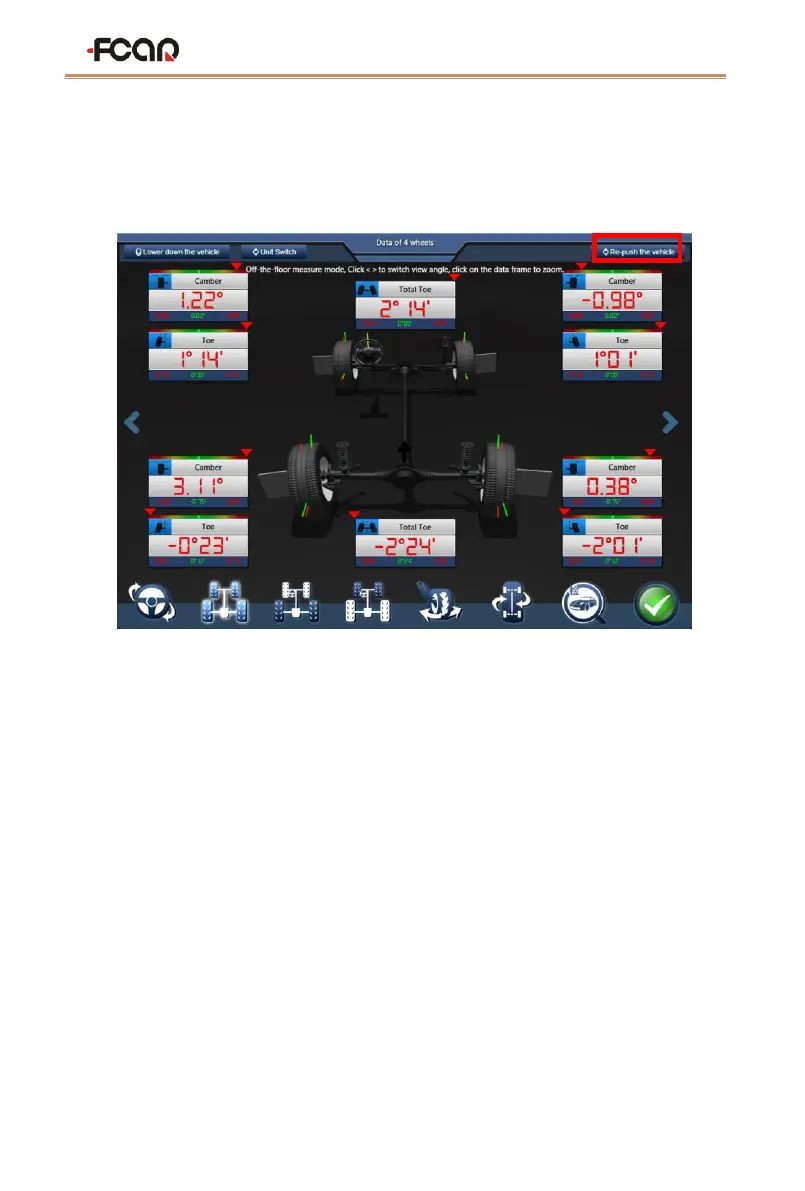
4) After the lifting mode is set, the software automatically returns to the four-wheel
data interface in the lifting mode. As shown in the figure below, click [Re-push the
vehicle] in the upper right corner to start the cart compensation measurement;
Figure 4.3-4 four-wheel data interface in the lifting mode
5) The push compensation interface is shown in Figure 4.3-5. First, slowly turn the left
rear wheel backwards according to the prompt until the yellow reference line
reaches the green dot position, as shown in Figure 4.3-6, stop rotating.;
Note: Do not touch the target when turning the wheel!


 To Next Page