FCI WATERMAKERS, INC. 68Operational Instructions
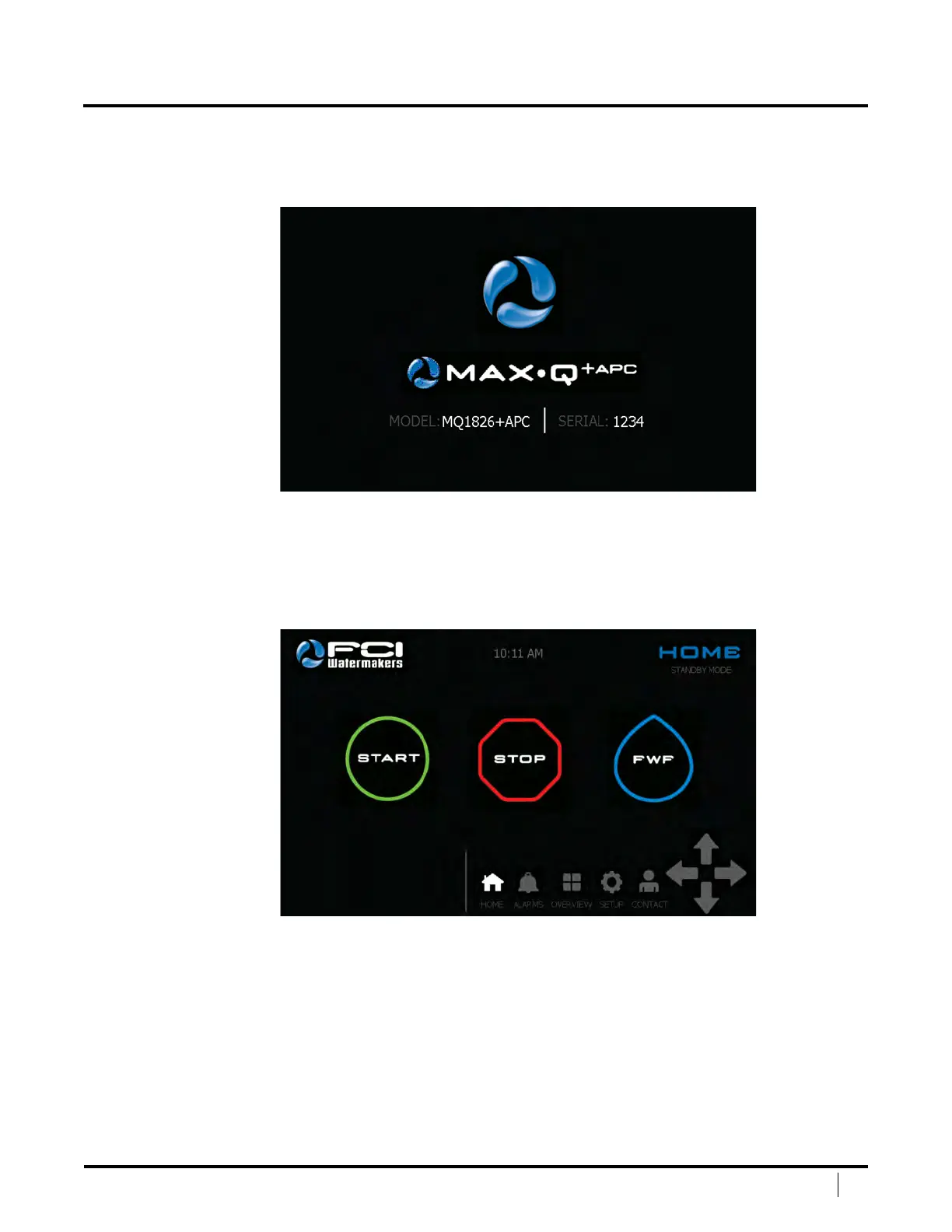
STARTUP SCREEN
Upon powering your unit on, the screen will go through its boot
process. Once complete, it will show the Startup Screen.
e startup screen displays Model # and Serial # for you reference.
Touch the large watermaker logo to proceed to the Home Screen.
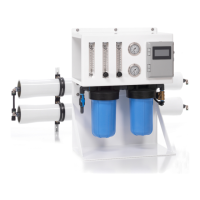
HOME SCREEN
e Home Screen is your main navigation portal.
You will be able to access all screens from here by using the Navigation Bar located on the
bottom right. In addition you can Start / Stop / FWF your unit from this screen. If any
run options are selected they will be displayed in the lower le hand corner of the screen.
DISPLAY SCREENS


 To Next Page