FCI WATERMAKERS, INC. 64Operational Instructions
DISPLAY OPERATIONAL OVERVIEW
e FCI display was specically selected due to its extreme durability in the marine
environment. It is designed to not interfere with marine electronics, features
a NEMA 4X design, and can be fully dimmable for night time operation. e
display utilizes a resistive touch screen, and unlike most touch screens, the display
relies on the press action of your nger in order to make contact with the screen.
is allows the user to be able to activate the screen even with gloves on.
e following is a list of basic operational graphics, and
a brief description how they function.
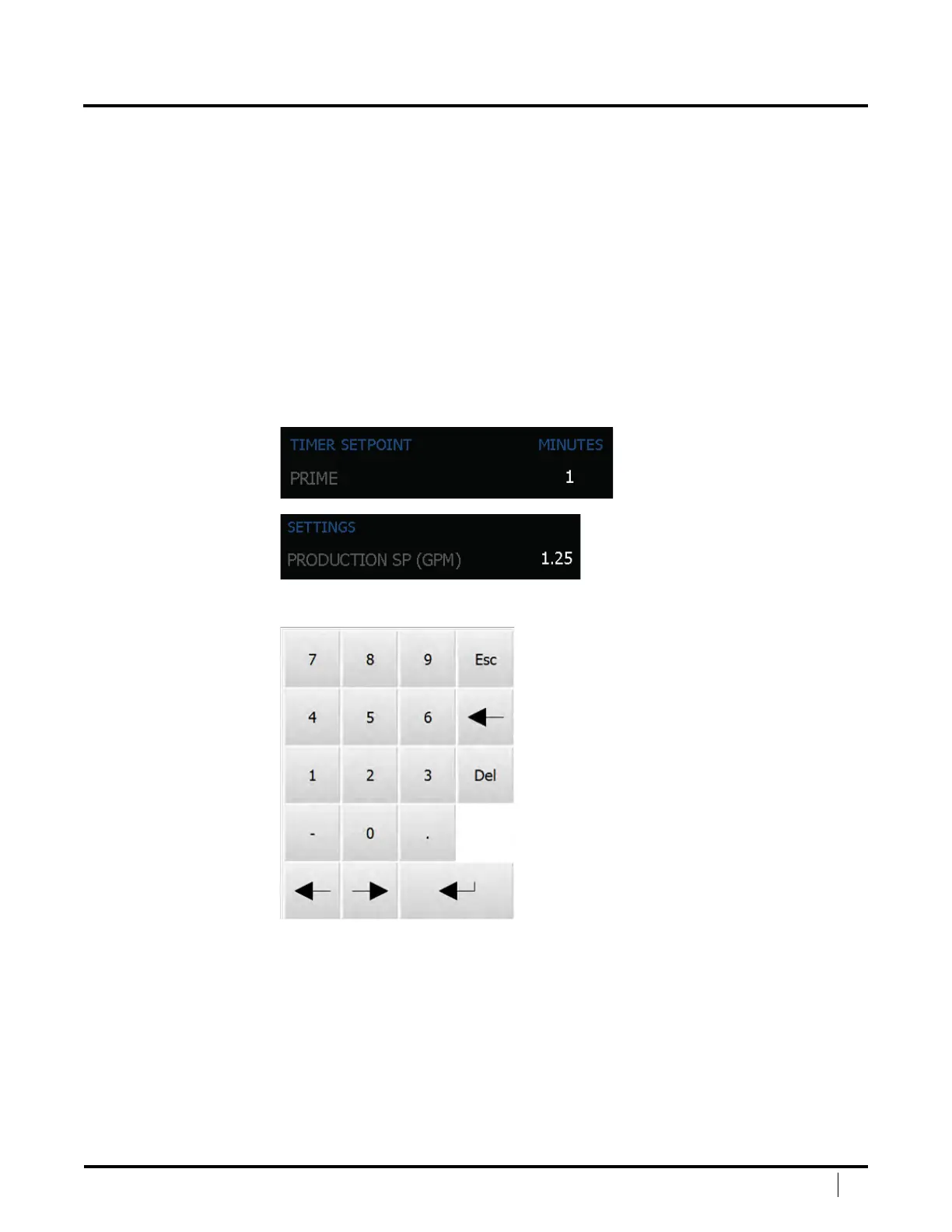
NUMERIC INPUT
Numeric Inputs show the value of a setpoint that can be adjusted, for
example, a Timer Setpoint or a TDS Setting. ese can be found in the setup
section of the display. To change a setting, touch the number in white.
Upon pressing a Numeric Input, the Numeric Keypad will open up.


 To Next Page