FCI WATERMAKERS, INC. 71Operational Instructions
ALARM HISTORY SCREEN
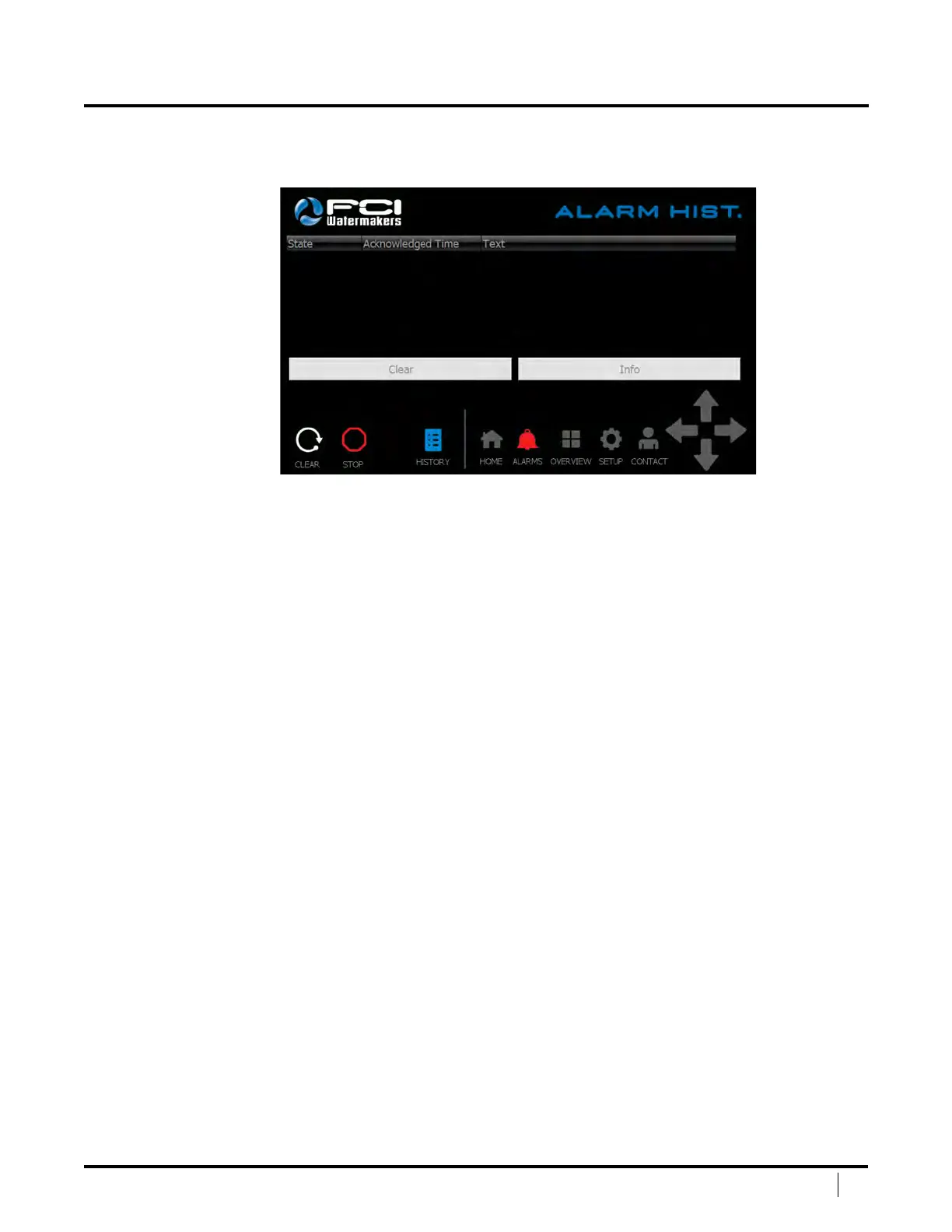
e Alarm History Screen is where you can view already‑acknowledged alarms.
State – Describes the current condition of the alarm.
Acknowledged Time – is will show the time in which
the alarm was acknowledged by the user.
Text – is will tell the user what the alarm is.
Clear – is button will clear the alarm history.
Info – You can select on alarm by touching it on the screen. Once
selected, press the info button. is will give you detailed information
about the alarm and helpful troubleshooting tips.
History – is button will take you back to the alarm screen.
Clear – Press this button to clear the system once a shutdown has taken place.
Stop – Press this button to stop the system.
Navigation Bar – is allows the user to easily navigate between main screens.
DISPLAY SCREENS (continued)



 To Next Page