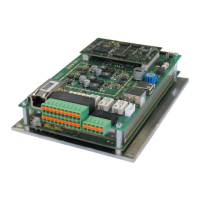
TST Startup WUI
FEIG ELECTRONIC GmbH Page 15 of 20 WUI_Inbetriebnahme2_GB.doc
10 Functions
IMPORTANT
Not all parameters are always avaiable and visible. This depends on parametersetting and the used
software version.
Changes of the software and of the parameterfunction can be done without previous announcement.
P.
[Unit]
Adjustment
range
Gate functions
Factory
setting
000
[Cycles] Display cycles counter
Display: 1234567 ⇒ 1234. À-press .567
Display: 67 ⇒ 67
005
[Cycles] Display the number of cycles still operable until maintenance is necessary.
Display: 1234567 ⇒ 1234. À-press .567
Display: 67 ⇒ 67
-1
012
[s]
0 ... 200
Forced closing time:
Closing starts after this time has run out. The time starts when open or
close travel has stopped. Hold open time and clearance time have higher
priority, means if one of these times is running the forced closing time is
not running. This is also the case if the barrier is in the upper position
while switching on the controller.
0
P.
[Unit]
Adjustment
range
Diagnostics
Factory
setting
920
Eb 1
Eb 2
...
Eb 7
Eb 8
Ebcl
Eb -
Display error memory / faults
⇒ Open by pressing STOP key again,
⇒ Scroll with UP / DOWN keys
⇒ Close by pressing STOP key.
⇒ Leave with Cancel "EB-".
• Eb 1 → Error messages 1 (most recent) or. Er--
• Eb 2 → Error messages 2 or Er--
...
• Eb 7 → Error messages 3 or. Er--
• Eb 8 → Error messages 4 or. Er--
• Ebcl → delete complete failure memory
• Eb - → Cancel
(Display noEr: no errors)
Eb 1
925
Display the software version
)
You will find more parameters and functions in the main handbook of the controller TST WUI


 To Next Page