- 27 -
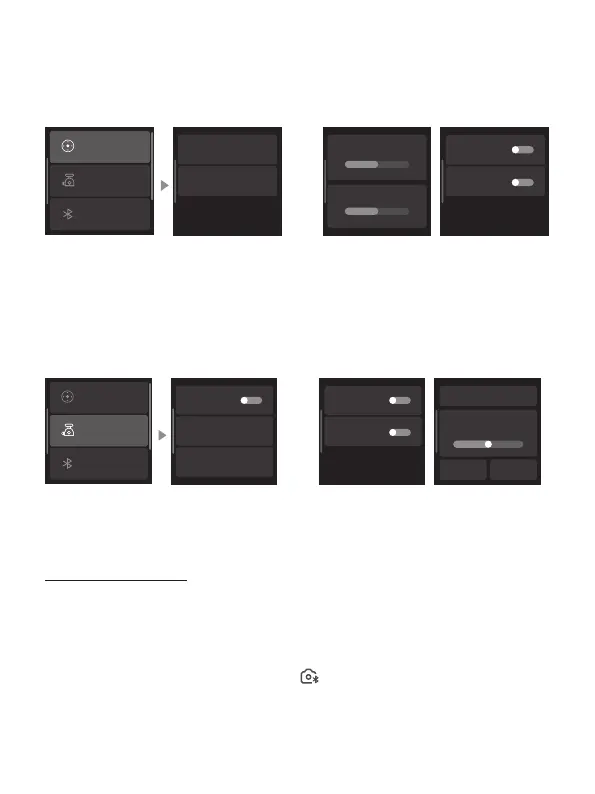
8.3.10 Joystick settings
Swipe from right to the left on the home page and select 'Joystick Settings'.
Joystick Speed: Set the joystick speed for controlling pan/tilt axis.
Joystick Direction: Enable/disable inverted control of pan/tilt axis.
Joystick speed
Joystick speed Joystick direction
Pan
Tilt
Joystick direction
Gimbal settings
Bluetooth setting
Joystick settings
Pan lnverted
Tilt lnverted
8.3.11 Gimbal settings
Swipe from right to the left on the home page and select 'Gimbal settings'.
Disable sele: Enable/disable the gimbal's button control for the sele mode.
Manual lock: Enable/disable the manual lock for pan/tilt axis.
Horiz calibration: Automatically/manually calibrate the horizontal angle.
Pan
Tilt
Disable selfie
Manual lock
Horiz calibration
Manual lock Horiz calibration
Auto calibration
0°
-
+
Gimbal settings
Bluetooth setting
Joystick settings
8.3.12 Bluetooth settings
Connect the camera
Swipe from right to the left on the home page and select "Bluetooth Settings."
Enable "Camera Control"
Turn on your camera's Bluetooth.
On the gimbal screen, choose the corresponding camera Bluetooth name for
connecting.
Once the connecting is successful, an icon will appear at the top of the main
page.















 To Next Page