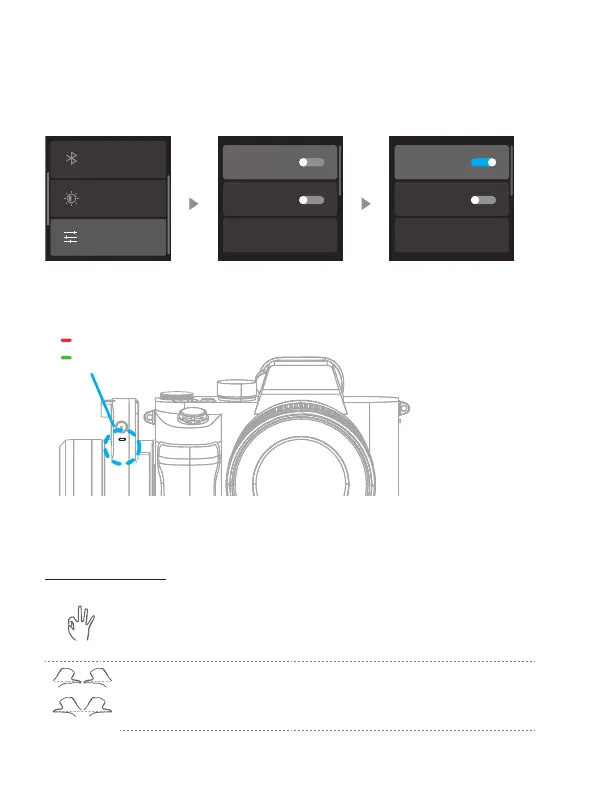
8.3.14 AI Tracking
Triple tap the F1 button can turn AI power on or o. Alternatively, swipe from right to
the left on the home page of screen, select "More Settings" to toggle the "AI Power"
switch on or o.
AI Power
Silent
Language
AI Power
Silent
Language
Backlight Settings
More
Bluetooth setting
After turning on the AI power, the tracking module indicator light will remain solid
red.
AI power is now on
AI tracking is active
Under AI Power-On State, the following controls are available:
AI Gesture Control
OK gesture (Left or right hand): Start tracking/Stop tracking
Start tracking with the green light stays on.Repeat this gesture,
stop tracking, enter standby mode with the red light stays on.Two
gestures must be separated by 3 seconds
or
Thumbs opposite direction: Stop tracking
Stop tracking, enter standby mode with the red light stays on.















 To Next Page