- 26 -
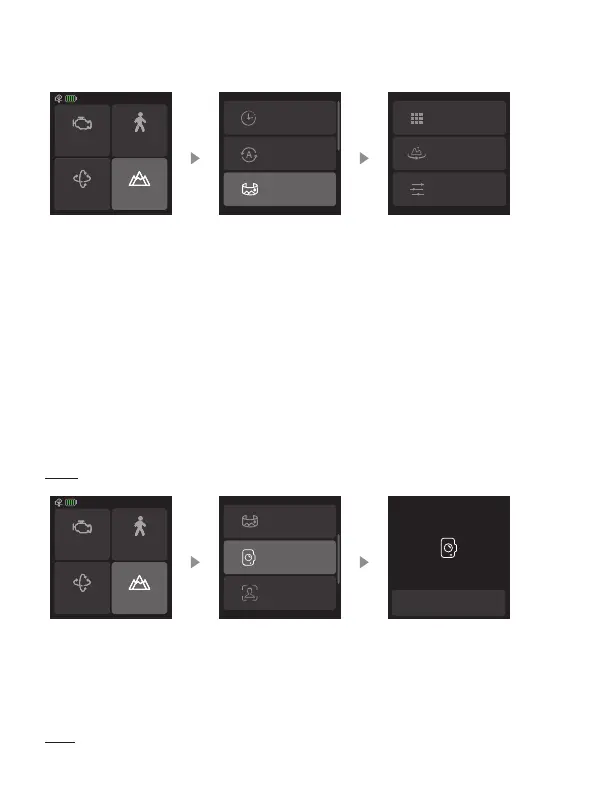
mode to start shooting a series of interconnecting still images. Users can then
generate a panorama using image processing software.
Motor power
PTF
Follow speed
Scenario
Timelapse
Inception mode
Panorama
3*3
180°
Custom
3*3: Take 3 images above in every three layers (9 images in total).
180° : Take 4 lateral images.
Custom: Custom the shooting angle for pan/tilt axis, focal length, overlap and
interval parameters to take panorama photos.
8.3.7 Portrait mode
Select “Scenario” in home page, then select “Portrait mode”. The tilt and pan
axis will rotate 90° counterclockwise to make the camera pointing upward.
Hold the handle to make the lens horizontal to the ground to shoot in portrait mode.
Exit: Tap the icon at the bottom of the screen to exit.
Exit portrait mode
Panorama
Portrait mode
Selfie mode
Motor power
PTF
Follow speed
Scenario
8.3.8 Sele mode
Select “Scenario” in home page, then select “Sele mode”. Gimbal turn 180°
horizontally so that the camera faces you.
Exit: Tap the icon at the bottom of the screen to exit.














 To Next Page