- 4 -
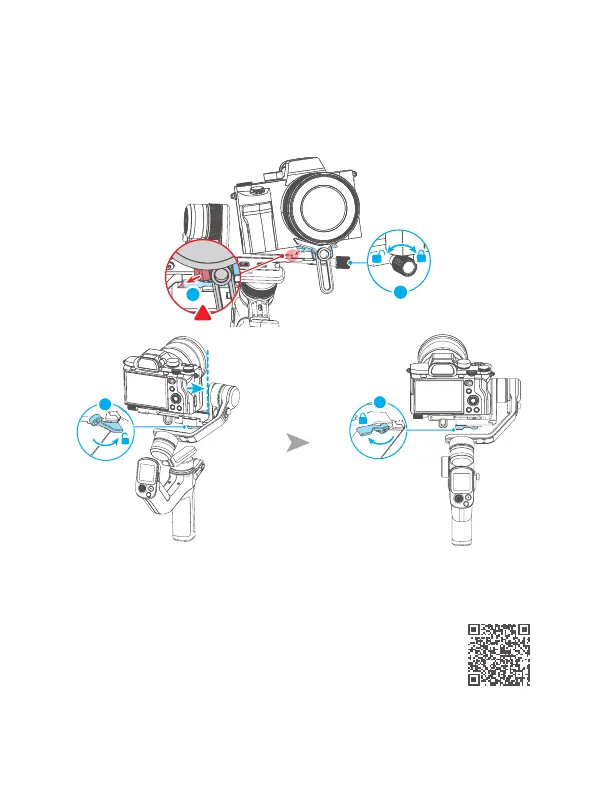
3.3 Mount camera on gimbal
Unlock the quick release plate safety lock ① , install the plate with the mounted
camera into the slot ② in direction of icon, lock the safety lock ① once the camera is
roughly balanced. It is recommended to push the camera against the tilt axis. Unlock
the slider lock ③ to move the camera left or right according to camera's width, then
lock the slider lock ③ .
1
2
3
3
4. Gimbal Balancing
Please balance the gimbal before shooting. Take camera
mounting as an example. Make sure the camera and lens are
ready for shooting, and the gimbal is powered o or in sleep
mode before balancing. It is recommended to hold up the
camera rst, then move the slide arm, cross arm and
vertical arm.
Tutorial Videos














 To Next Page