14
www.feiyu-tech.com
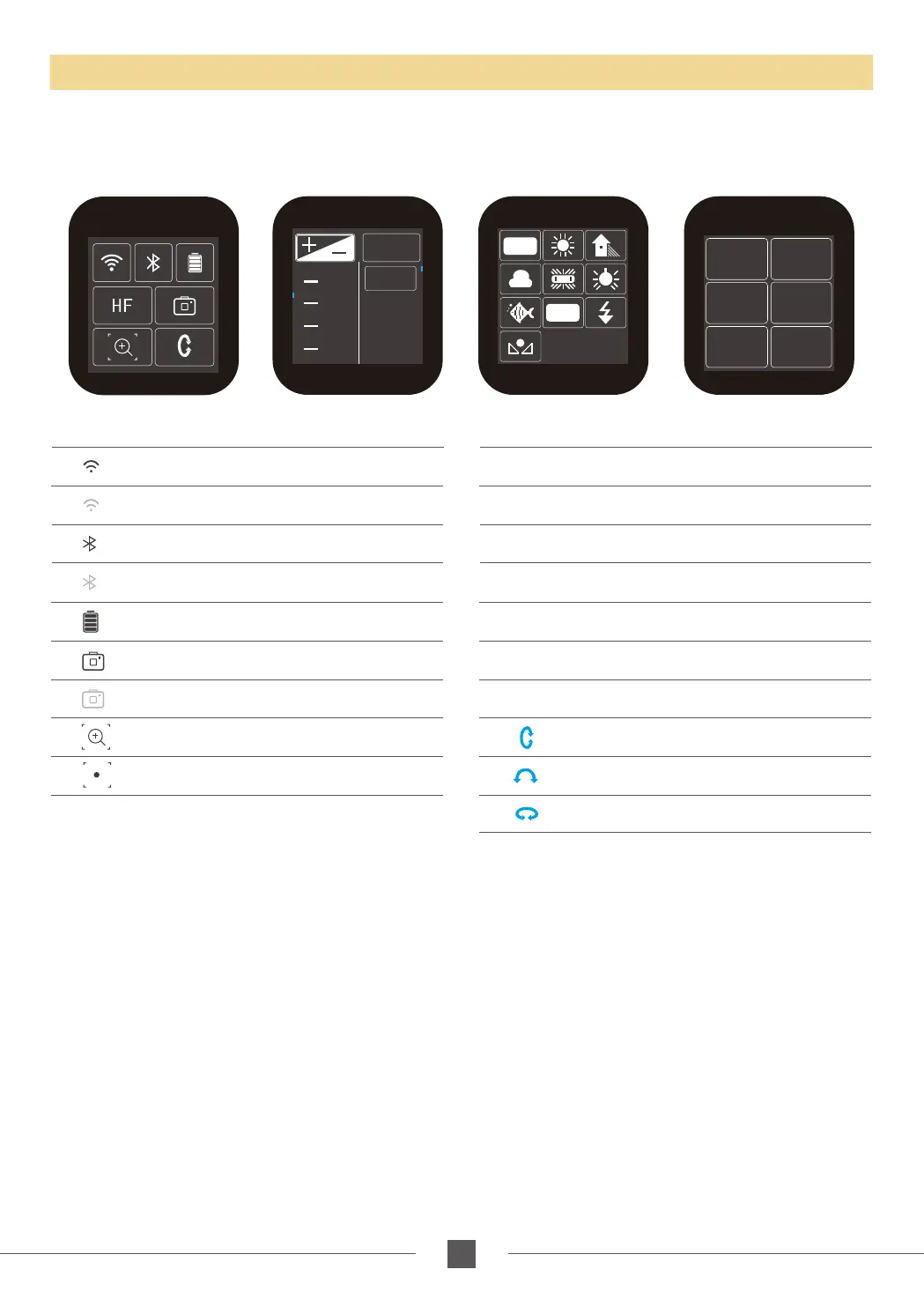
Touch screen
* Click the option to switch or select the function mode, and slide the screen to the left or right to switch
the page.
Screen interface
I S O
2.3
AUTO
2.0
80
100
125
1.7
1.3
AWB
K
Display icon Mode / Status
HF
Panning Mode
Panning Mode + Rolling follow
Lock Mode + Rolling follow
HF-R
TF-R
LK-R
TF Follow Mode
Follow Mode + Rolling follow
AF
All follow mode
Lock Mode
Tilt Axis
Roll Axis
Pan Axis
LK
Display icon Mode / Status
Bluetooth is connected
Bluetooth is not connect
WiFi is connected
WiFi is not connect
Battery Level
Camera mode
Camera is not connect
Zoom status
Follow focus status
Capture
Mode
Auto
Rotation
Payload
Setting
Settings
Scroll
Setting
Rotation
Time



 To Next Page