Page 14
Tools:
Tools:
47
(1x) Tension Bracket
(1x) Square Nut M4
46
48 49
(1x) Tension Bracket As-
sembly
(1x) Bolt M4 x 25
44
Tools:
-
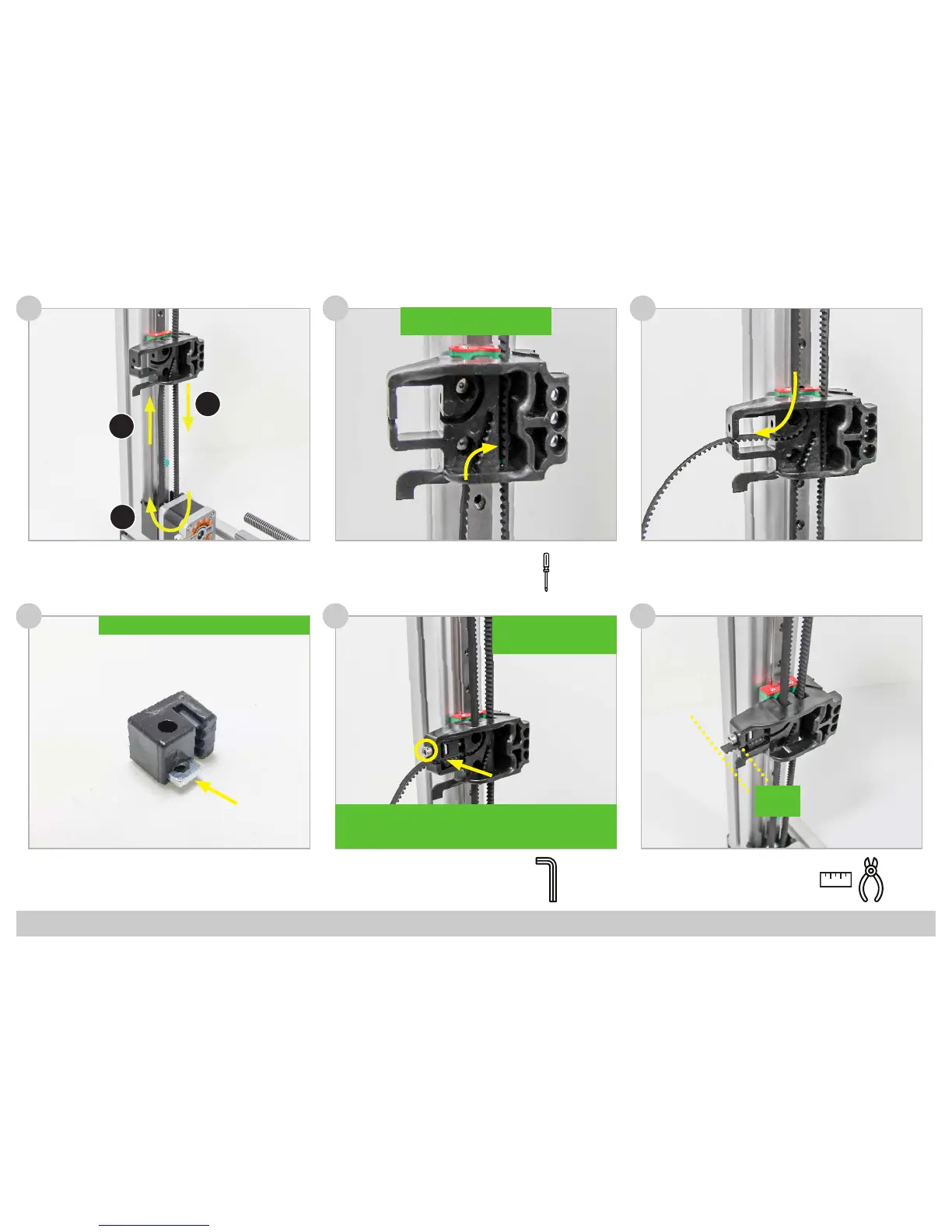
!! Use a screwdriver to Push the
Belt completely into the Socket !!
!! Insert the Square Nut into the Tension Bracket !!
3
2 cm
!! Use the Screwdriver to
Push the Belt completely
into the Socket !!
1
2
3
!! Move the carriage to the center of the rail. Tighten the belt using
the size 3 hexagon key until the belts can barely touch eachother
when pressing them together !!
45



 To Next Page