Page 37
Tools:
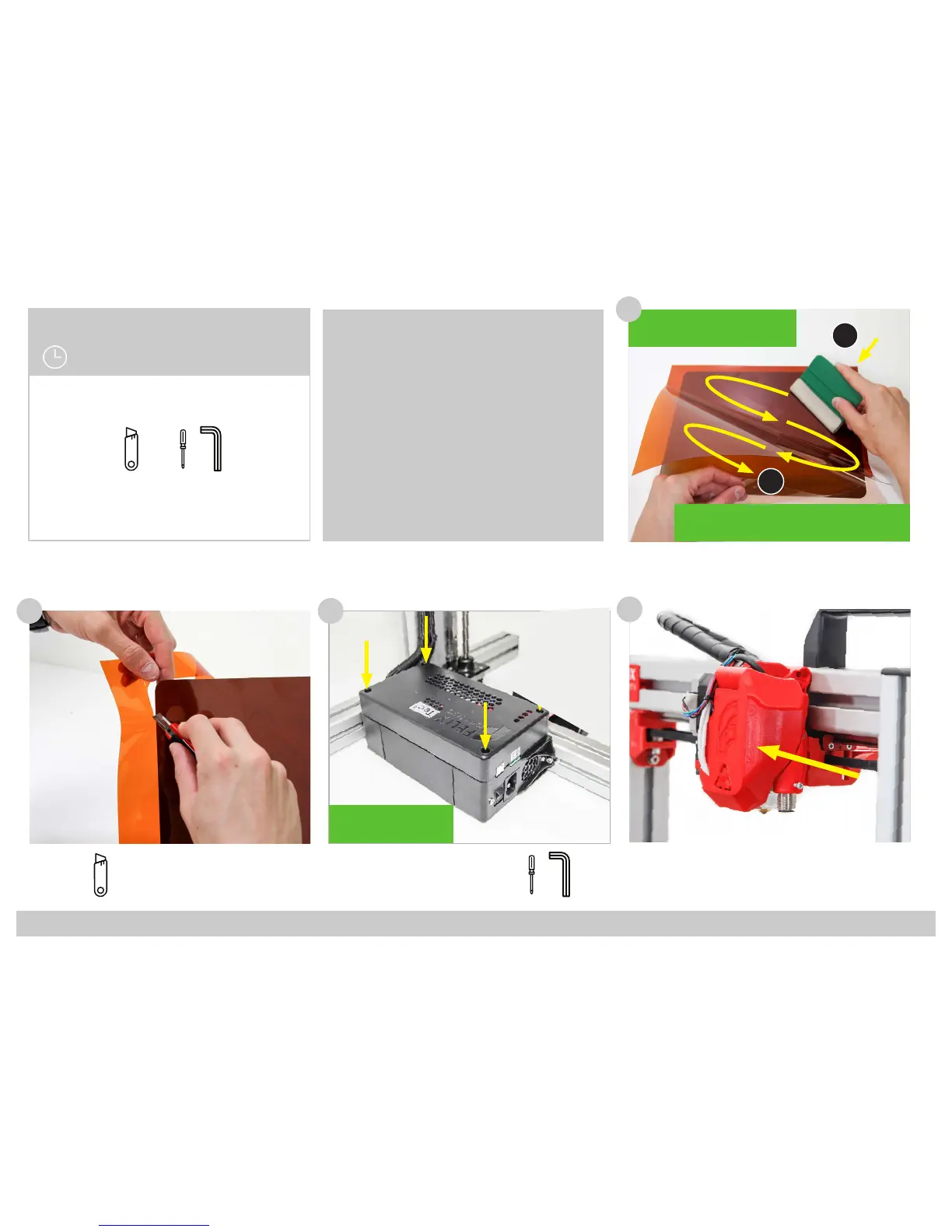
(1x) Kapton Foil
Tools:
Chapter 10: Finishing Touch
15 Minutes
132
!! Peel o the protective sheet at the
corner and stick the exposed adhesive
to the BuildPlate at one corner !!
!! Continue peeling o the protective sheet and at the
same time stick the foil to the BuildPlate using a soft
object in a zigzag motion to avoid air bubbles !!
1
2
131
Preheat your buildplate to 60 C
degrees to make sure the Kapton
Foil will have good adhesion to the
exible plate.
Tools:
(4x) M4 x 12
(1x) Electronic Enclosure
Cover
133
!! Use the Screwdriver to
center the Square Nut be-
fore inserting the Bolts !!
3
+
134
(1x) Main Fan Cover
Connect the fan cover onto the extruder unit.
3
+



 To Next Page