Page 29
Tools:
116
(1x) Electronic Enclosure
Cover Plate
114
115
117
(2x) T-Nut M4
(2x) Bolt M4 x 12
(2x) Power Supply Screw
(1x) Power Supply
(1x) Electronic Enclosure
Pt. 2
(2x) Power Supply Screw
(1x) Electronic Enclosure
Pt. 1
113
(1x) Electronic Enclosure
Assembly
Tools:
118
23cm
Tools:
End to End
25 cm
Tools:
+
Tools:
+
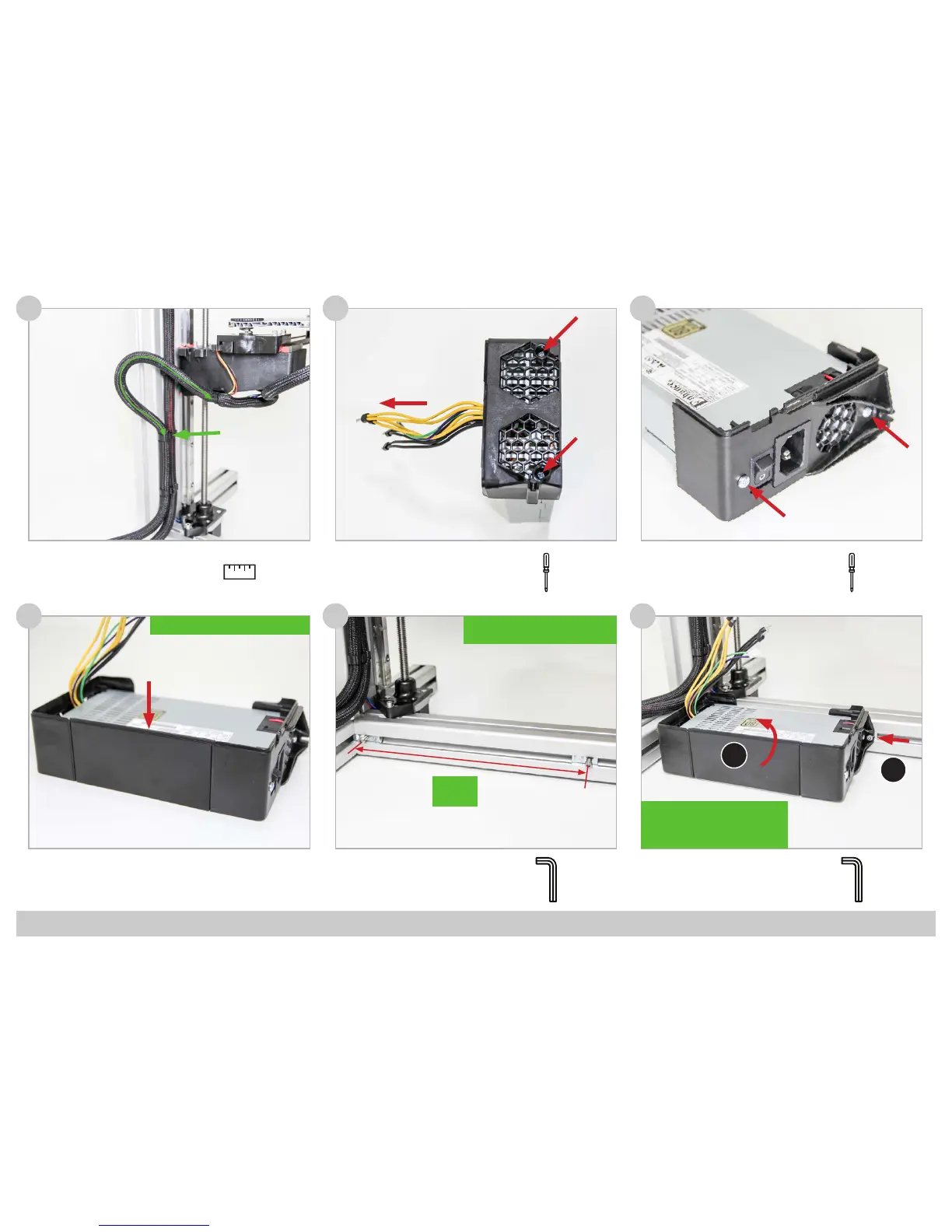
!! Position the narrow edge upwards!!
3
!! Make sure to position the left
T-Nut against the prole !!
!! First slide the Enclosure against
the left T-Nut, next slide the right
T-Nut with Bolt into the Slot.
Finally tighten the Two Bolts !!
3
1
2



 To Next Page