Page 30
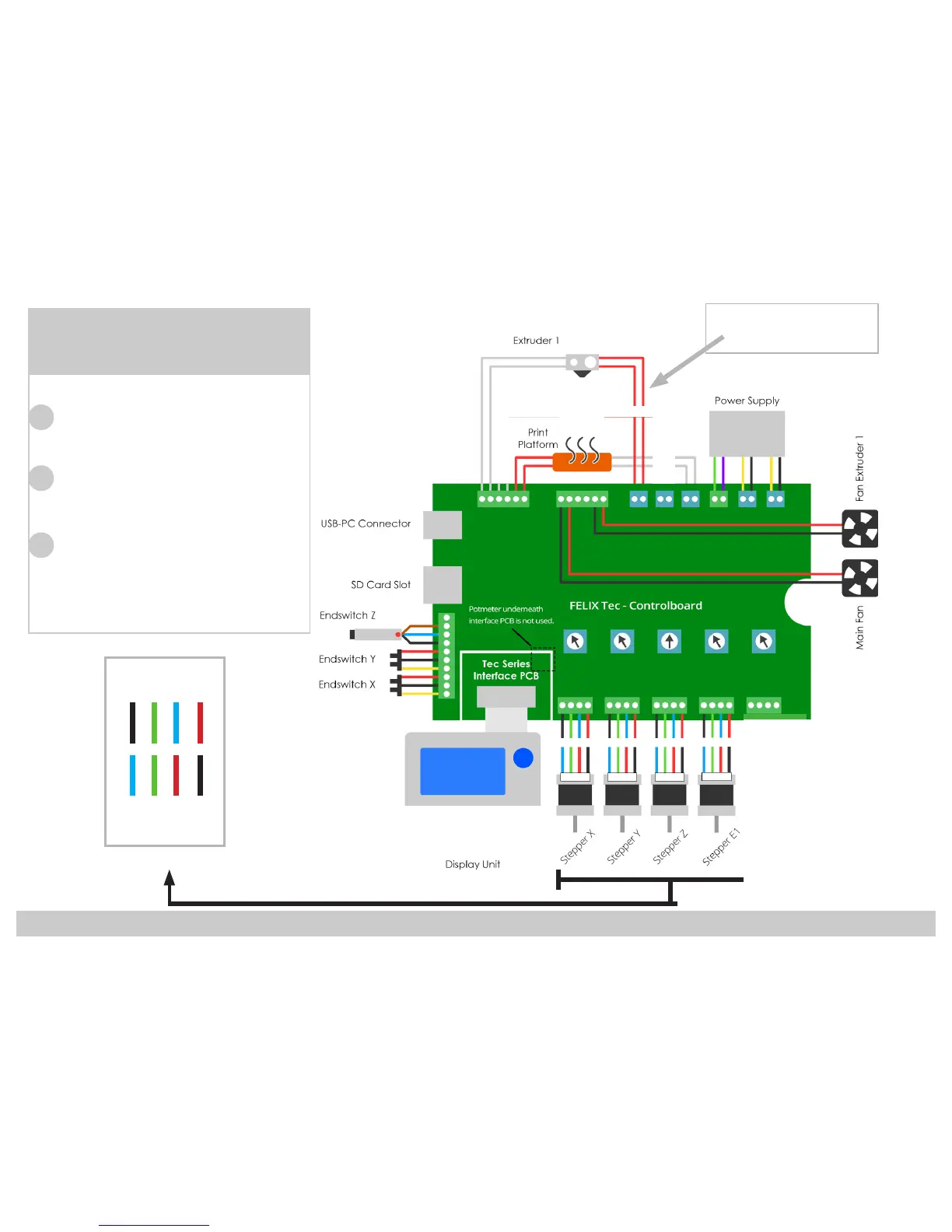
Important:
1. Set the Blue Potentiometers
to the correct value as shown
in the overview.
2. Tighten the screw terminals
with force to ensure a good
connection.
3. Make sure the Control board
is positioned correctly, so
that the underside doesn’t
touch the power supply.
Overview:
Control Board
119
120
121
Black
Green
Blue
Red
Blue
Green
Red
Black
Main board side
Motor side
Note:
E0 = E1
on control board



 To Next Page