EasyManua.ls Logo

FELIXprinters Felix Pro 1 - Page 34

FELIXprinters Felix Pro 1
66 pages
Print Icon
To Next Page IconTo Next Page
To Previous Page IconTo Previous Page
Loading...
Page | 34
User Manual FELIX Pro 1
Rev 3
www.FELIXprinters.com
support@FELIXprinters.com
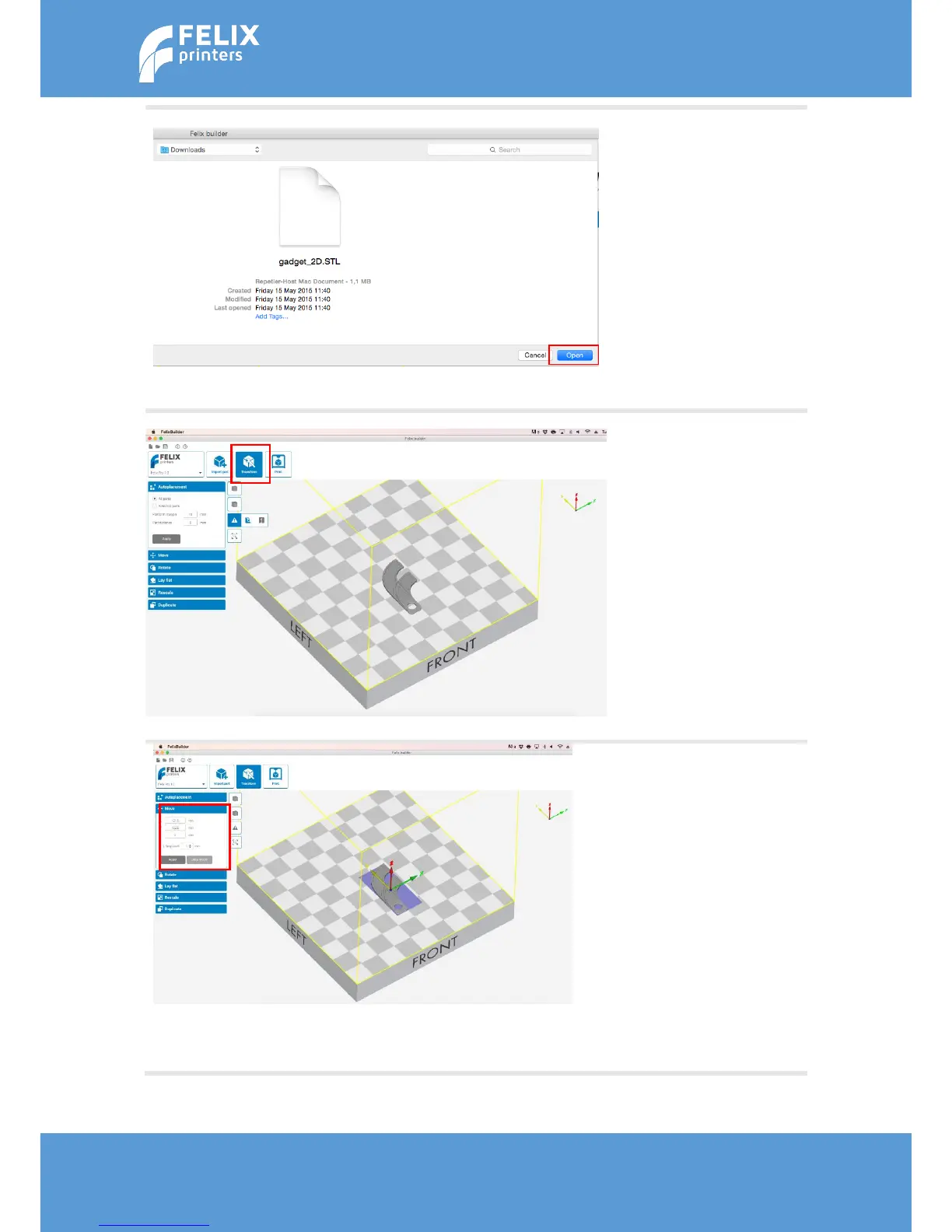
A menu will open. Select the
right STL file and click on
open.
The object will be placed onto
the build platform.
In the menu, click on
‘Transform’ to adjust the
object.
If you want to move an
object, click on ‘Move’ in the
left hand panel.
The selected object can be
moved to any location by
dragging the yellow, red or
green slider or by clicking and
dragging the object.
To place the object flat onto
the build platform, click on
‘Drop model’.