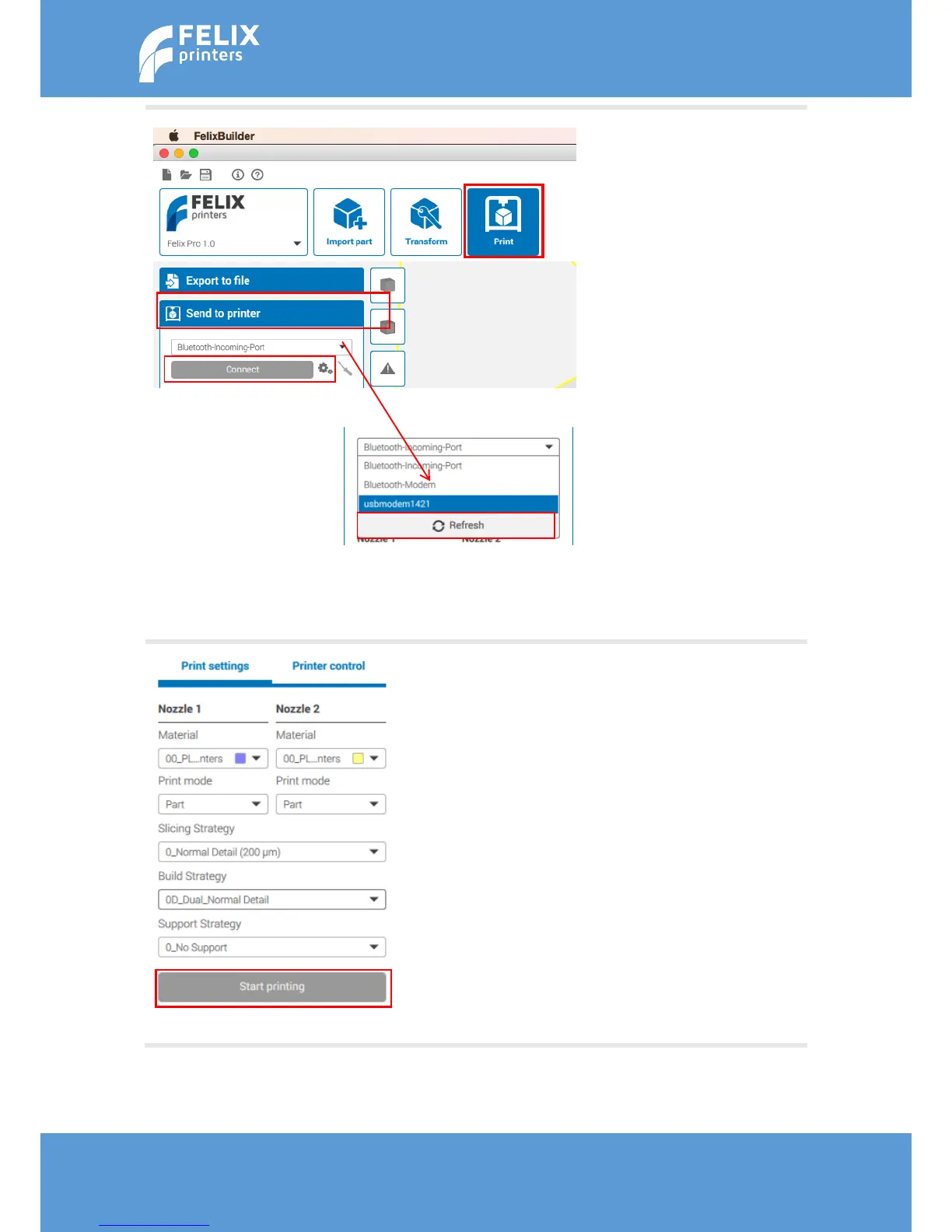
Now it is time to connect the
3D printer to the computer.
Plug the USB cable into the
Pro 1 and into your computer.
Turn on the 3D printer.
Go to the ‘Print’ tab,
Go to ‘Send to printer’,
Open the selection window
and click on refresh.
Select the Pro 1
Click on connect
To ensure the FELIXprinters
test file will be printed like
intended it is important to
match the settings on your
FELIX Pro 1. Please make sure
the print settings displayed
on the left, match with your
Print settings.
When the Print settings are
matched, click on Start
Printing.



 To Next Page