9
EDITING AND SAVING EFFECTS CONTROL SETTINGS
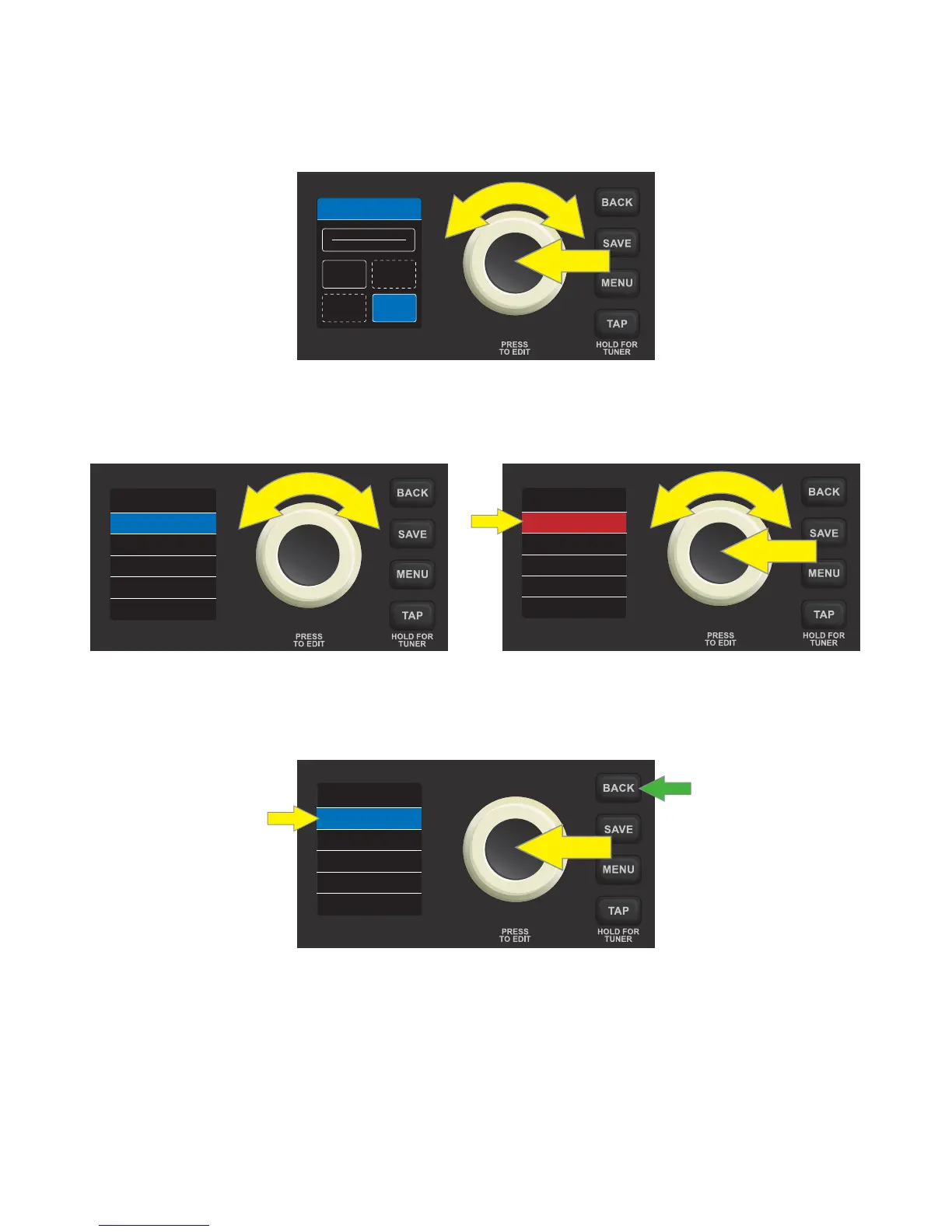
To edit and save individual control settings of a preset’s various eects (if any), rst select the eect category box
containing the eect to be edited by turning and pressing the ENCODER. There are four eects category boxes
that can each contain one eect: STOMP (stompbox), MOD (modulation), EQ and DELAY:
The DISPLAY WINDOW will then show a list of controls for the eect model in use in that category; use the EN-
CODER to scroll to a particular eect control. Press the ENCODER to select the eect control; its surrounding
box will turn from blue to red. Turn the ENCODER to set a new value for the selected control value:
At this point, press the ENCODER to accept the adjusted eect control value and exit edit mode; the sur-
rounding box will then return to blue. Alternately, press the BACK utility button (green arrow) to accept the
eect control value change and return to the preset contents screen:
IMPORTANT: If an edited eect control setting is not saved, the preset will revert to its original eect control
settings when returning to the preset after leaving it, or when turning the amplier o and back on again. To
save edited eect control settings, follow the SAVE, SAVE AS or REPLACE instructions on pages 6 and 7.
AMPLIFIER
EQ
MOD
ARENA BASS
STOMP
DELAY
29 AUDIO RA...
3.8
3.2
10.0
DECAY
LEVEL
TONE
HALL RVRB
7.6
3.2
10.0
DECAY
LEVEL
TONE
HALL RVRB
7.6
7.6
7.6
3.2
10.0
DECAY
LEVEL
TONE
HALL RVRB













 To Next Page