IntelligentMemoryCircuit
ThelightmemorizesthelastselectedoutputexcludingStrobemode.Whenturnedonagainthe
previouslyusedmodewillberecalled.
*TheHighmodewillbeactivatedwhenturnedonagainifthelightisturnedoffonTurbomode.
Charging
1.Opentheanti‐dustcap,plugtheUSBType‐Csocketofthechargingcableintothelightandthe
otherendofthechargingcableintoanelectricaloutlet.
2.Whencharging, thechargingindicatorswillflashfromlefttorightto displaychargingstatus.
Thefourindicatorswillbeconstant‐onafterchargingiscomplete.
3.A5V/2A or higher‐power adaptermustbe used forchargingthis light.The normal charging
timeisapproximately2hoursfromdepletiontofullcharging,withthe18Worhigher‐powerfast
chargingadapter,andthechargingtimeisapproximately3.5hourswitha5V/2Aadapter.
4.OnlyEco,LowandMedmodesareavailablewhencharging,but the charging time will be
prolonged.
5.Besuretoclosetheanti‐dustcoveroncechargingiscompletedtomaintainthedustproofand
waterproofability.
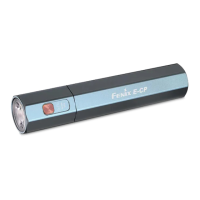
PowerBankFunction
1.Switchoffthelightandopentheanti‐dustcap,plugtheUSBA socketofthe chargingcable
intotheUSB‐Aportofthelight,thenconnecttheotherendofthechargingcabletothecharging
portofthedigitaldevicetobecharged.OrtheUSBType‐Cportofthelightcanbeusedasthe
dischargingport,inthisway,useaproperchargingcablewithaUSBType‐Cport.


 To Next Page