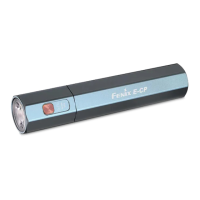
2. Properly connect the light and the device to be charged via the charging cable to begin
discharging,theindicatorswillrecedefromrighttolefttodisplaythestatus.OnlyEco,Lowand
Medmodesareavailablewhendischarging.
3.Besuretoclosetheanti‐dustcoveroncedischargingiscompleted.
Note:
1.TheUSB‐Aport of thelight ONLYsupportsdischarging and theUSBType‐Cportofthelight
supports charging and discharging. Both ports support 5V/2.4A, 9V/2A, 12V/1.5A. The fast
chargingfunctiononlynormallyworkswhenchargingcable,adapterandthedigitaldevicetobe
chargedsupportfastcharging.Theincludedchargingcablesupportsfastchargingfunction.
2.Timelychargethelighttoensurethenormallifeofthebatterywhenthebatterypoweristoo
low.
3.Recharge a stored light every four months to maintain the optimum performance of the
battery.
BatteryLevelIndication
Withthelightswitchedoff,singleclickthesideswitchtocheckthebatterystatus,whichwilllast
for5seconds.
Fourlightson:80%‐100%
Threelightson:60%‐80%
Twolightson:40%‐60%
Onelighton:20%‐40%
Onelightflashes:lessthan20%
Note:Whenchargingthelightorusingthepowerbankfunction, theindicatorswill constantly
indicate the batterystatus, andwhen using the light, the indicators will intermittently indicate
thebatterystatus.


 To Next Page